A Clear Place for Each Job
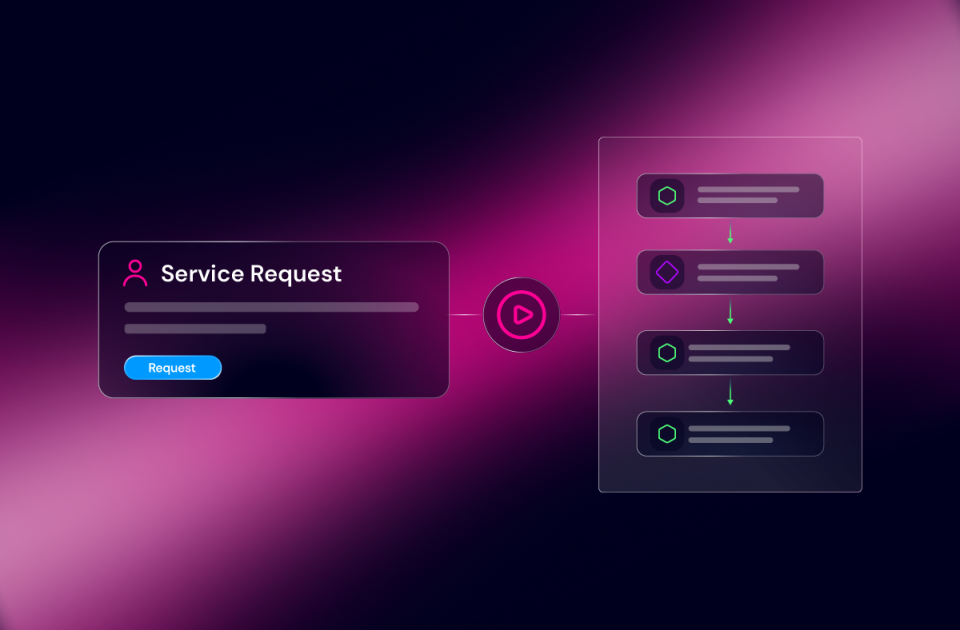
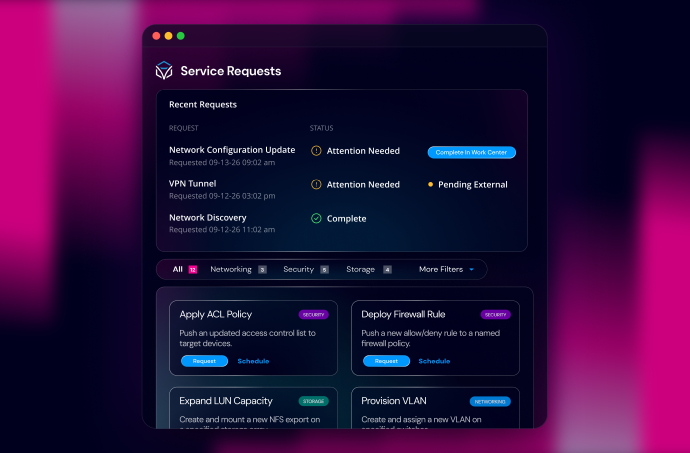
A person requests automation in Service Requests. If the automation pauses for approval, review, or additional input, an operator handles the task in Work Center. The requester continues tracking status in Service Requests.
Administrators continue using Operations Manager to manage and run automations and investigate workflow execution. Agent Sessions provides the detail needed to investigate FlowAgent execution.
The same person may perform several of those jobs. Each experience gives them the information and actions appropriate to the work in front of them.
Service Requests is included in the Itential Platform at no additional cost. Customers requesting automation through ServiceNow can continue using that path. Service Requests adds a native option for teams that need one.
More Precise Inputs Before an Agent Runs
Builders have more control over what a FlowAgent accepts. In FlowAgent Builder, inputs can use types including strings, numbers, booleans, objects, arrays, and null, with multiple accepted types where needed.
Inputs and object keys can be optional, and descriptions explain what each field expects. Top-level validation supports string lengths and formats, numeric bounds, and integer-only values. Formats include dates, times, email addresses, IPv4, and IPv6.
Object inputs can define keys one level deep. Arrays can specify an item type. Validation rules apply to top-level inputs; nested keys and array items do not have the same rule controls.
That lets a builder describe a request more precisely and reject invalid input before execution begins. Builders should also keep the agent’s prompt aligned with the input schema.
Build Device Groups From Inventory Tags
Operators already organize devices with Inventory Manager tags. Platform 6.7 lets them use those tags when creating a Configuration Manager Enterprise device group or adding devices to an existing group.
In the interface, operators can search across inventories, filter by tags, and review matching devices and counts before saving. They can remove individual devices from a selection without starting over. Device detail pages also show Inventory Manager tags.
The resulting group captures membership at save time. Later tag changes do not automatically change the group.
The corresponding Studio tasks also support tag-based selection, with each task targeting one inventory. Workflows spanning multiple inventories need a separate task for each additional inventory. Review the device group guidance, including execution-account access, before automating group updates.
Consistent Query Syntax Across Studio
A workflow task returns a large object. The next step needs one value buried inside it. Builders can use a task input query to extract that value where it is consumed, or a Query task when they need to produce a reusable result.
Platform 6.7 gives both approaches the same full query syntax, including filters and helper functions in task input queries. The new :getLiteral() function provides literal-value handling. The Query reference documents the syntax and examples.
Some older property-access forms in task input queries are deprecated. Existing queries continue to run, and affected inputs display a warning with an Update action. Conversion is opt-in and takes effect when the workflow is saved.
Back up workflows before converting affected queries. The conversion cannot be reversed through the update action, and converted syntax may not work on older releases. Review the deprecation notice when planning an upgrade.
Integration Settings Are Easier to Manage
Integration Models and Integration Instances move to the Mosaic interface, bringing a consistent layout to configuration and troubleshooting.
Administrators can review connection settings, gateway settings, variables, and JSON configuration in the refreshed instance pages. Logging improvements include syslog support and more reliable application of configured log levels. These logging controls are not available for integration instances that run through a Gateway.
These changes put frequently needed configuration and troubleshooting controls closer to the administrator doing the work.
Gateway 5.5.4 Adds Maintenance Improvements
The accompanying Itential Gateway 5.5.4 release adds support for custom RPM installation directories, fixes secret placeholder resolution in Basic and Proxy Authorization headers, and updates dependencies to address security vulnerabilities.
Plan the Upgrade Around Operational Settings
Platform 6.7 introduces Trigger Service, which takes over trigger execution previously handled by Operations Manager. Avoid creating, editing, or deleting automations and triggers during the upgrade, and allow the migration to finish before managing triggers.
Administrators should also review audit logging. Platform 6.7 honors audit_enabled, which defaults to false. Environments that need to continue writing audit.log must explicitly enable it on each node at startup.
The November 11 changelog includes the full upgrade actions, including Keycloak issuer matching, Redis Sentinel permissions, and subscriber filters affected by Trigger Service identifiers.
Put More of What Your Team Builds to Work
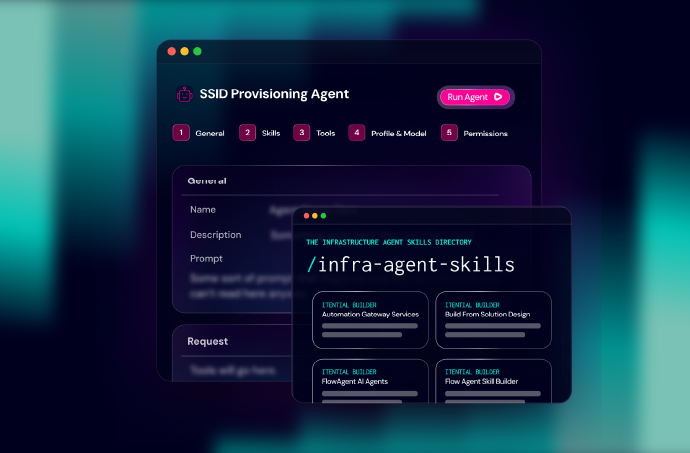
Agent Skills make domain knowledge reusable across FlowAgents. Service Requests makes workflows and FlowAgents accessible through a common request experience. The supporting improvements reduce the effort required to define inputs, target devices, query data, and manage integrations.
That gives teams a practical path from capturing expertise to delivering a service someone else can use.
Explore the Platform 6.7 feature announcement, and talk to your Itential team about putting Agent Skills and Service Requests to work in your environment.


 Build Build agents & workflows visually, with AI, or bring your own.
 Integrate Connect every system, tool, agent, & AI in your stack.
 Execute Execution for agentic & deterministic operations.
 Secure & Govern Govern every action with built-in RBAC, audit & approval gates.
 Operate Self-service operations & real-time visibility.











 Agentic Operations Connect AI to infrastructure for trusted, automated actions.
 AI Vulnerability Response Discover & remediate critical vulnerabilities at machine speed.
 Infrastructure Modernization Transform legacy networks into modern, AI-ready infrastructure.
 Infrastructure as a Product Deliver network and infrastructure services on demand - self service, governed, & consumed like cloud.
 Hybrid & Multi-Cloud Orchestration Unify hybrid & multi-cloud infrastructure through agentic orchestration.
 Unified Change Management Unify network & infrastructure changes across every team, tool, & domain.