Give the New Team the Access It Needs
Now take a different request: “Create a read-only service account for our CI integration.”
The admin-config skills to read and which group and role assignments provide that access. “Read-only” needs to match the intended work, rather than assume the same permissions fit every integration.
The administration flow is more than creating an account. Configure its group membership and permissions, test authentication for the intended use, and review the result.
Existing assignments matter when changing access. A group’s assignedRoles and an account’s memberOf replace the whole list.
Adding access should preserve the assignments already in place. The skill reads the existing role or membership list before constructing the replacement.
Service-account identifiers also need care. In the implementation described by the original skills, a service account’s client_id is its account ID, which is used when deactivating it. The account-management flow uses deactivation rather than assuming deletion is available.
Make the Integration Available to Its Users
Ask: “Set up a codeless integration from this OpenAPI specification.”
The specification describes the REST API, but importing it is only part of making the integration usable. The documented flow is:
- Upload the OpenAPI specification to create the integration model.
- Create the integration instance and configure it for the intended environment.
- Identify the roles generated for the integration.
- Add the required roles to the intended group, preserving existing assignments.
- Re-authenticate and check that the integration’s tasks are available to the users who need them.
This is why an integration can exist while its tasks still appear unavailable to a user. Instance configuration, role assignment, and the authenticated session are all part of the result.
A usable integration includes the instance, the access assignments, and a check that the intended users can reach its tasks.
The same configuration skill also covers profiles and pre-built content. Use those capabilities when the task involves configuring or bringing content into the platform, rather than developing a new workflow.
The Request Details Behind the Work
The original skills were checked against a live Itential Platform 6.5.2 environment, including endpoint methods and accepted request bodies. Check the repository for current requirements and behavior on your platform version.
One example is the body wrapper. Similar-looking administration calls can expect different structures:
| Administration Task | Request Structure |
| Update an account, group, or role | {updates: {...}} |
| Create a role | {role: {...}} |
| Create a group | {group: {...}} |
| Create an SSO configuration | {config: {...}} |
Those differences affect whether the platform accepts the requested change or uses the fields supplied. The skills document the task-specific sequence and request structure, rather than leave the agent to infer them from a generic API pattern.
Version-specific behavior belongs in that guidance too. The original testing identified adapter changelog and export calls that returned server errors, along with an alternative for retrieving configuration. Treat those as findings from the tested version, not assumptions about every Itential release.
Install It Where You Already Work
Choose the installation path for your supported harness:
| Coding Experience | Installation Path |
| Claude Code | Plugin marketplace |
| Codex CLI | Plugin marketplace |
| GitHub Copilot CLI | Plugin marketplace |
| GitHub Copilot in VS Code | Install Plugin From Source |
| Cursor | GitHub CLI skill installation |
The installation guide contains commands, invocation syntax, and setup instructions for each tool.
Create a working folder, configure your platform URL and credentials according to the guide, and open your harness there. Use an account whose permissions cover the resources and changes involved. Keep credential and token files out of source control.
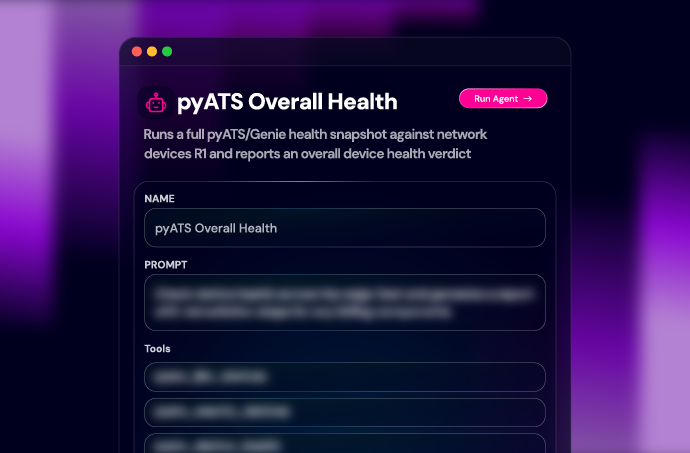
Start with the platform health request. Confirm you are inspecting the intended environment, review the findings, and then ask for a more specific administration task. You can describe the work naturally or invoke admin-platform or admin-config directly using your harness’s documented syntax.
Apply Your Administration Standards
Your organization has its own rules: how service accounts are named, which role assignments need review, and when an adapter restart requires a change ticket.
Each skill has customization folders for that guidance:
- custom/org for organization-wide procedures.
- custom/team for team conventions and operating practices.
- custom/dev for personal environment settings.
For example, document that a production adapter restart requires a change ticket and specify what the administrator needs to review before requesting it. Add your approved account naming conventions and access-assignment procedures in the same way.
Keep shared rules in an organization copy of the repository and have the team install from that copy. Keeping customization separate from the foundational skills makes upstream updates easier to review and merge. The customization guide explains the approach.


 Build Build agents & workflows visually, with AI, or bring your own.
 Integrate Connect every system, tool, agent, & AI in your stack.
 Execute Execution for agentic & deterministic operations.
 Secure & Govern Govern every action with built-in RBAC, audit & approval gates.
 Operate Self-service operations & real-time visibility.










 Agentic Operations Connect AI to infrastructure for trusted, automated actions.
 Infrastructure Modernization Transform legacy networks into modern, AI-ready infrastructure.
 Infrastructure as a Product Deliver network and infrastructure services on demand - self service, governed, & consumed like cloud.
 Hybrid & Multi-Cloud Orchestration Unify hybrid & multi-cloud infrastructure through agentic orchestration.
 Unified Change Management Unify network & infrastructure changes across every team, tool, & domain.