Itential Builder Skills is an open-source agentic delivery framework for the Itential Platform. Use it with GitHub Copilot CLI, GitHub Copilot in VS Code, Claude Code, Cursor, or Codex. Write a plain-language spec. AI agents build the workflow, form, resource, or FlowAgent – governed, tested, and documented inside the Itential Platform.
An open-source skills framework for GitHub Copilot CLI, Copilot in VS Code, Claude Code, Cursor, and Codex. It gives coding agents Itential-specific guidance to build platform assets from specs.
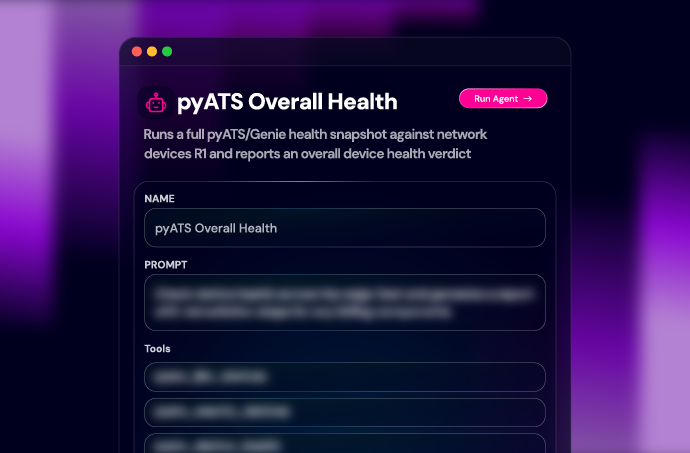
Workflows, Operations Manager entries, command templates, configuration and compliance assets, Lifecycle Manager resources, Itential Gateway services, and FlowAgents.
Write a spec or start from one of 22 pre-built specs. Invoke the right skill in your coding harness, then move through requirements, feasibility, design, build, test, and as-built. Review and approve each gate.
Workflows, Configuration Manager assets, Lifecycle Manager resources, Itential Gateway services, and FlowAgents all follow one governed path from requirement to as-built record. See how the process works, what you can build, and where to start.
Builder Skills runs the spec-driven development lifecycle for infrastructure automation. Each stage produces a named artifact. Each artifact requires human approval before the next begins. The agents handle defined tasks. Engineers retain control of the requirements, design, test plan, and final acceptance.
Four agents keep responsibilities clear across the six stages. Each artifact gives the next stage a concrete, reviewable starting point.
Builder Skills supports the assets teams build and operate on the Itential Platform:
The same delivery path also produces design, test, and as-built documentation. What ships should be explainable to the next engineer who touches it.
Every delivery starts with a spec. Pick the path that matches the work in front of you.
Pick the harness your team uses. After install, copy an environment template from the repo, add your Itential Platform credentials, and run spec-agent to start your first delivery. Full setup steps are in the GitHub quickstart.
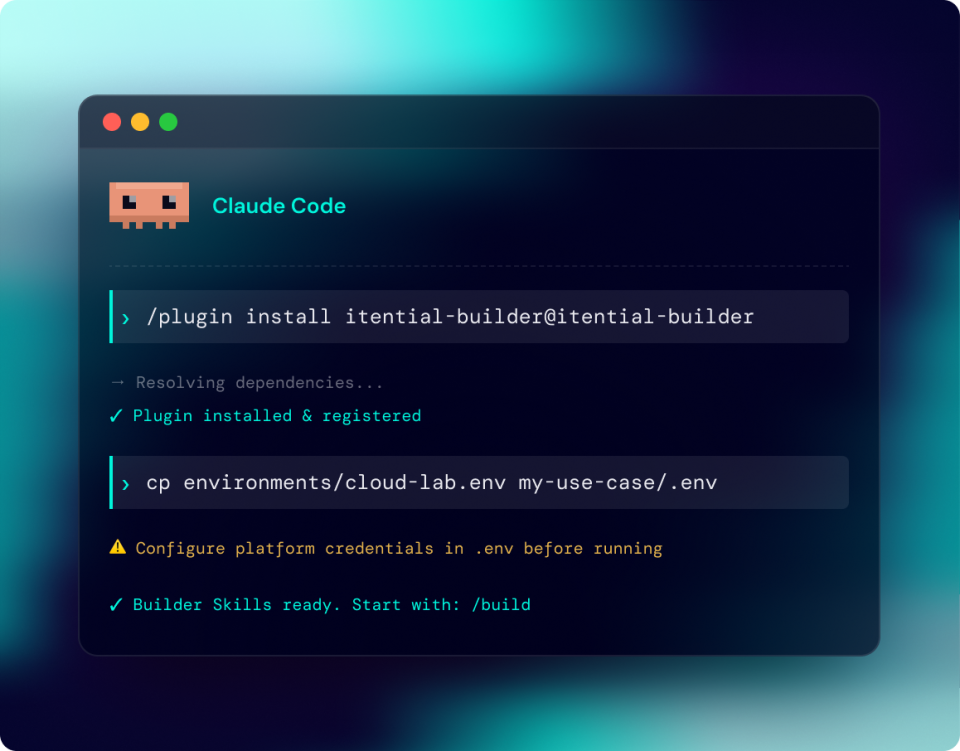
Install Builder Skills as a plugin from the Itential marketplace.
Install:
/plugin marketplace add itential/builder-skills
/plugin install itential-builder@itential-builder Then restart Claude Code.
Check it worked: Run /plugin and confirm itential-builder is listed, or type /itential-builder: to see the skills.
Run a skill: /itential-builder:spec-agent
Update: Automatic. To update manually, run /plugin update itential-builder@itential-builder, then restart.
Add the Itential marketplace and install the plugin from the Codex CLI.
Install:
codex plugin marketplace add itential/builder-skills && codex plugin add itential-builder@itential-builder Check it worked: In Codex, type /skills.
Run a skill: $spec-agent
Update:
codex plugin marketplace upgrade itential-builder && codex plugin add itential-builder@itential-builder Install the skills with the GitHub CLI. Requires a recent version of gh.
Install:
gh skill install itential/builder-skills --agent github-copilot --all Check it worked: copilot skill list
Run a skill: /spec-agent
Update: Run the install command again with --force.
Install from source in VS Code, or open a clone of the repo.
Install: Open the Command Palette (⇧⌘P on Mac, Ctrl+Shift+P on Windows), run Chat: Install Plugin From Source, and enter itential/builder-skills. Or clone the repo and open it:
git clone https://github.com/itential/builder-skills.git && code builder-skills Check it worked: In Copilot Chat, type /, or open Configure Skills.
Run a skill: /spec-agent
Update: Plugin installs: reinstall from source. Cloned repo: run git pull.
Open a clone of the repo in Cursor, or install the skills with the GitHub CLI.
Install:
git clone https://github.com/itential/builder-skills.git && cursor builder-skills Or:
gh skill install itential/builder-skills --agent cursor --all Check it worked: In chat, type /.
Run a skill: /spec-agent
Update: Cloned repo: run git pull. gh skill installs: run the install command again with --force.
See how to add the Itential marketplace, install the Builder Skills plugin, and activate it in Claude Code.
The open-source repository includes delivery and platform skills, environment templates, example specs, implementation references, and setup documentation. The 22 example specs cover networking, operations, security, and infrastructure use cases. Adapt them to your environment, adapters, and approval process.
Builder Skills meets infrastructure teams where they work. Pick the path that fits the problem in front of you, then use your preferred coding harness to move through the same reviewable delivery process.
Start from a spec instead of a blank file. Build automation with requirements, testing, and as-built documentation connected to the result.
Give engineers a consistent delivery path across teams and coding harnesses. Standardize the artifacts and approval gates without forcing everyone into one AI tool.
Carry feasibility and design decisions through all six stages. Approved artifacts show what the solution needs to do, what the platform supports, and why the build took its final shape.
Use project-to-spec to document automation already running in Itential. Give the next engineer a clear baseline for support, change, and handoff.
Open source and ready to run. Install Builder Skills in your coding harness, connect to Itential Platform 6, and take your first spec from requirement to as-built record.
An open-source set of skills and delivery guidance for building Itential Platform assets from specs, in the coding harness your team already uses. It guides requirements, feasibility, design, build, test, and as-built documentation through reviewable artifacts.
The supported experiences are GitHub Copilot CLI, GitHub Copilot in VS Code, Claude Code, Cursor, and Codex. Setup and skill invocation follow each tool’s native conventions. Check the GitHub quickstart for current steps.
They are two ways to use GitHub Copilot. Copilot CLI runs in a terminal; Copilot in VS Code runs in the editor’s chat experience. Both can use project skills, though setup and invocation appear in different interfaces.
No. Describe the task in plain language and your coding harness selects the right skill. Native commands and skill pickers are there when you already know which skill you want.
It covers workflows, Operations Manager entries, forms, command templates, Configuration Manager assets, Lifecycle Manager resources, Itential Gateway 5 services, and FlowAgents. The exact implementation depends on the approved design and the capabilities available in your environment.
Itential Platform 6 is the target platform. Itential Gateway 5 is required for Gateway-specific skills.
The repository includes delivery and platform skills, 22 example specs, environment templates, implementation references, and setup guidance.
Builder Skills is an open-source community project, not a supported Itential product feature. There is no SLA. Use GitHub issues and discussions for feedback and contributions.
Yes. The skills, stages, and artifacts are the same in every supported harness, so one engineer can work in Claude Code while another uses Copilot or Cursor, and the delivery record stays consistent.