Joksan Flores • 00:07
Hi, everybody. My name is Joksan Flores. I am a principal solutions engineer here at Itential, and today I am going to demo the new skills capability in the Itential Platform 6.7 release. With that, we’re actually releasing an open source repo for infrastructure agentic skills that I am showing here on my screen at the moment. This website will list skills that we have compiled from either different repositories from builders, skills that we have contributed ourselves to the community, etc., that can be used for agentic design and infrastructure orchestration when using agents that have skills capability. We are going to be leveraging some of these skills in the existing demo today using the Itential Platform 6.7 release. This website is infraagentskills.ai.
Joksan Flores • 01:03
Anybody is welcome to come here and browse, find the desired skills that they want, and contribute to it. I’m very excited about this. It’s been a good effort by everybody to kind of put this together and hopefully bring the community together in growing and developing more and better skills for AgentiQs. Paired with this website, infraagentskills.ai, there’s also a repository that feeds a lot of the data that exists on that website. And this repository is meant to be the place where people can come in and design skills based on capabilities or list their own skills in the catalog MD. And I’m going to show browse this real, really quickly here. The way that this repository is broken down is by capability that are multi-vendor or vendor agnostic.
Joksan Flores • 01:52
In the skills folder, there are several sets of capabilities, e.g. , certificate management, change management, or wireless. We’re going to be using some of those. We’re going to be using wireless. So if I scroll all the way down to wireless network management, there’s a skill.md file that explains what the skill does from a procedural perspective. And then there’s references about each vendor. So this is a multi-vendor set of skills that we’re going to be using. And that’s what I will be using for my demo.
Joksan Flores • 02:20
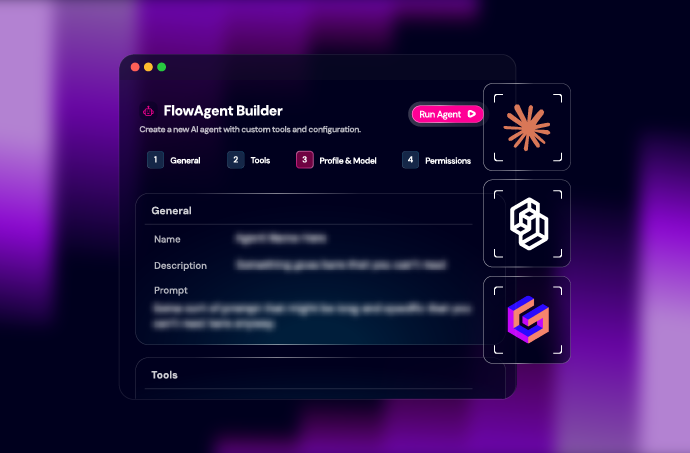
So now let’s jump into the Itential platform and show how this works. I am now in ItentialPlatform 6.7 release in agent projects, which is where we design our agents that will execute infrastructure orchestration and assign tools that could be either API calls, scripts that are brokered through the platform. It could be itential platform workflows or other agents. So you can design all the agents to suit your needs here. We’re going to take a fairly basic example, which is SSID provisioning. Very common operation on enterprises, whether a customer has multiple buildings, they have hotel chains, they have events that they need to handle, and they need to provision SSIDs in a multi-vendor environment. This is a very well-suited and simple use case to kind of demonstrate the functionality.
Joksan Flores • 03:10
So what I have here is an SSID provisioning agent, and I have my prompt. My prompt is fairly simple. It says you’re an agent in charge of SSID provisioning. Follow the wireless network management skill for the procedure and change management skill for the change record. So I’m telling it, hey, you have a couple skills that you’re going to use. More important piece here, and what makes this multi-vendor is there are building mappings for render. And this is something that a lot of customers that we deal with have to interact or deal with.
Joksan Flores • 03:39
Is sometimes you have certain buildings that are deployed with Meraki, like in this case, building 1 through 10 is deployed with Meraki, building 11 through 20 is Aruba. So, what I’m telling the agent here is: depending on the request that you get, and depending on the type of building, and if you look at the requests listed down here with my variables, I’m going to request building, class, subnet, and the requester. You’re going to map to these vendors. So, we’re going to see how the agent actually interacts and fetches the skill, etc. I got some standards here. So, this prompt actually now becomes instead of the procedure to provision wireless in the particular vendor, which, e.g. , in Meraki, you don’t provision a new SSID. There is a number of SSIDs, typically 15, that are pre-allocated.
Joksan Flores • 04:23
And essentially, the operation to create new SSIDs is to actually update one of the existing slots. And what we’re going to do is we’re going to remove all that logic from the agent. And now, my prompt itself focuses on the standard for my org. So, my SSID name is derived. I have VLAN standards. I have class auths that I support, right? I support PSK and 802.1x.
Joksan Flores • 04:48
I am going to use a standard network because I’m just demoing here. Obviously, this could be dynamic. We’re going to record subnet, et cetera. And I have some rules here that I’m telling: hey, use some styling, you’re going to use some approvals, et cetera, in particular steps. Notice that my prompt is very, very, very focused on how my organization itself has certain rules and standards against provisioning SSIDs and not necessarily telling the agent how to provision SSIDs in Meraki, which is what the things that we would have to do if we don’t have this concept of skills. Downstream of or down, if I scroll down here, we have some of the input variables being defined in Itentialplatform with tell hey the building requester all these are string data types and I have my skills section so my skills section is down here I have added three skills I have change management change management is actually um multi-vendor so it has JIRA ServiceNow and freshworks capability at the moment so this agent could actually handle any one of those three and notice on my prompt that I didn’t tell it anything to do with ServiceNow the agent will actually figure that out based on the tooling that I provide to it if I only provide it ServiceNow tooling it’ll only use ServiceNow I have provided it a wireless network management skill that also has access to you know Meraki Aruba and other platforms Catalyst Center and I also have some Itential HTML styling if I were to go and edit this agent really quickly to kind of show you how this looks in the edit mode I have my skills here I can add any of them so if you look at all these are all the skills that I’ve updated in my Itential platform that exists in the registry today I can select any one of these in order to add it to my agent and if I need to upload new ones I can just go and hit upload and I can drop and drag and drop a file into this here that could be a zip file it could be a standalone skill.md just like the Itential HTML styling is it could be a tar file or anything else in the future this will be also have the capability to pull from the github repo or git lab repo etc I’m going to discard my changes here since I’m not going to make any changes to my agent at the moment.
Joksan Flores • 06:58
Tools are down here, so it has the capability to update, get SSIDs, and so forth. It has an interactive task for our platform for approvals and so forth. It has a create change and update change. And it has other change management capabilities as well as listed for the SSIDs in Meraki. And I have my model configured down here, which I’m actually using GPT-Terra for this particular demo. One of the other things that I’m going to use, and this is a release in 6.7, there will be a separate demo for this, but I’m going to be using my service request application, which actually lets me have a separate portal just for requesting things. So, the way that I like to talk to this, about to my customers, about this is imagine you have a floor admin that just will request SSIDs.
Joksan Flores • 07:41
They can come in here, they will only see this application, they will hit the SSID provisioning service, and they get a form where they can go ahead and execute their request. And they get, you know, they can execute the request now or the recurring schedule. So, I’m going to start going provisioning my SSID here, and I’m going to do it on building four. I am the requester, so I’m going to put my email right here. I’m going to put my subnet 102.168. Let’s see 12.0/24. We’re going to give it full slash 24.
Joksan Flores • 08:13
And then we’re going to do SSID class, which is guest corp or IOT. So it has descriptions here. I can customize and service request all my field descriptions and so forth. We’re just going to do guest network. And I think that is it. Everything else will be self-derived. And the agent should correct me if I mistyped any values.
Joksan Flores • 08:31
So we’re going to go ahead and hit request. Now, this is a request portal. So we’re only going to see that the request went through. So in order to actually, this is a headless portal, I should say. So the request went through, we’re not going to see anything until the end of the execution. So the admin side, the person that’s actually auditing the execution of these agents, will actually see an agent execution happening in the background. You can see at the top, as we always log our request, you’ll see the agent prompt filled up with the values that I just filled up for my variables.
Joksan Flores • 09:05
So all those are here. We see the 1st step of agent reasoning. And now, one of the new pieces of the capability in the auditing section of Flow AI is the fact that we see the loading skill. Now you will see multiples of these: loading skill and loading skill file. And this is actually showcasing the progressive disclosure capability of the Flow AI agent at this moment. What that means is that the agent will only pull or will only load files in context as it needs them. So, if you look at it, it’ll load the skill 1st , which is wireless network management, Itential HTML, styling, and change management.
Joksan Flores • 09:43
So, it loaded all three of them. Token utilization is fairly low for all of them. You can actually click on it and see the entire structure of the skill. That doesn’t mean the agent will load everything. It’ll just say, Hey, I am aware of the skill.md, and I know what I need to do in order to fetch these files. The next thing that you will see is it’s actually fetching from the next step on reasoning. So, I had a step on reasoning.
Joksan Flores • 10:07
After it does that, it’ll actually go and load. Actual files from the skill itself. So, from change management, it loaded the procedure.md, which is the file that we actually need for change management for ServiceNow , because the agent reason that the tools that it has are ServiceNow specific. It loaded the reindex.md for ServiceNow as well, which is a file that it always needs to understand the capability and where additional files could be. It loaded an index for wireless network management and it loaded the meraki procedure.md as well. And it also went and pointed, you know, later after another reason in turn, it loaded additional files for endpoints.md, et cetera. It also went ahead and executed because once it went through and loaded the procedure.md for Meraki, Meraki wireless network management skills tells it, hey, you always have to go and get the existing network SSIDs so that you can find the lowest slot and then inspect the existing slot just to make sure that it’s zero.
Joksan Flores • 11:06
So it actually, based on the skill, it’s doing the pre-checks by itself. Now you could override the pre-checks inside of the prompt. The prompt is more authoritative than the skill itself. But you have the capability of creating super simple basic agents and then override their behavior over time as you’re developing, which is a really cool capability. I’m going to go to my work center now to work my approval and it says approve SSID plan. Review before the change request is open or the network is modified. It overwrote my, you know, or it derived my SSID name based on my standards.
Joksan Flores • 11:40
So all caps building for guest Wi-Fi. Building and class is building four and guests. It’s got the network. It’s got a slot already that it found. We’re going to do the VLAN 40, which is a standard for guest Wi-Fi and it’s going to be a PSK. IP, it’s got the subnet that I provided. It’s got the requester email.
Joksan Flores • 11:58
And it’s going to say approval authorizes opening the change and provisioning the slot. So it’ll open change management as well. We’re going to approve provisioning and I’m going to go back into my agent session execution. We see that the task went ahead and approved and it’s actually going through another reasoning step. It’s going to go and create the change request in ServiceNow . So if I were to go and open another tab in the meantime into ServiceNow , let’s let that load. It actually went ahead and did the get network SSIDs again.
Joksan Flores • 12:28
It updated the network and it’s going and verifying that it did it. And it’s checking ServiceNow states again so that it can go and update the change request. So before I go and look at the report, I’m going to go and load ServiceNow very quickly. Let’s go into change. We got provision building for guest Wi-Fi on Meraki slot 4. So let’s go ahead and click on that. So we got the requested by, we got normal, we got the state of the ticket and all those things.
Joksan Flores • 13:06
We got the documented description. This is the requester. This is the building. All the things that we documented as standard parts of the request. Operator, approved, provisioning, be interactive task. And we also have some work notes, which is really cool. So, we got work notes for the transitions of the ticket and so forth.
Joksan Flores • 13:23
And we got some of the other implementation plans and whatnot. Verify slot four is the lowest number available slot, configure SSID. So, some of the agent reasoning is also documented in the ticket. The notes that we put on the ticket are also, you can also overwrite them using the prompt itself, or the skill can be customized. So, lots of flexibility here, but we’re giving you a lot of kind of functionality out of the box. Going back to my work center task, which I can navigate from my continuation, so we have my approval. The cool thing about work center is that it contains the entire flow of the provisioning.
Joksan Flores • 13:56
So, it’s got the approved step right here, which I could go back to and review if I wanted to. And then I got the provisioning result. Building four, Guest Wi-Fi, change. We got a change ticket, which is that one that we were just looking at. The change state and ServiceNow gate did not offer closed transition. ServiceNow does not offer a closed transition. It has to be reviewed manually.
Joksan Flores • 14:15
So we’re just going to go ahead and acknowledge that and then go back to the agent and make sure that it did what it needed to do and it resumed its operation. Building 4GS Wi-Fi was configured. Change remains open and new. That’s fine because we didn’t transition because it didn’t open a closed transition. And that was that. So the process of provisioning was entirely done. We did the RNR approval.
Joksan Flores • 14:37
We kind of showcased the capability of loading the skills and so forth inside of this agent. And I think this will provide a lot of flexibility for our customers in order to be able to focus on what they need to focus on, which is their existing rules and their business procedures instead of the actual, you know, deriving logic from vendor documents and things like that. Again, going back to the website, look it up, infra agentskills.ai. We’re going to link it with the video description. We’re also going to be releasing this and putting it out everywhere for people to kind of look at, access the website, come here and find the technologies that you use today. Augmented, put them to use in your preferred harness. This is not Flow AI specific.
Joksan Flores • 15:22
Contribute to the infra agent skills and also look what the difference that it could make in a harness where we already give you the capabilities to kind of load the skill and just run with it to keep it very simple for the builders. Thanks for tuning in.


 Build Build agents & workflows visually, with AI, or bring your own.
 Integrate Connect every system, tool, agent, & AI in your stack.
 Execute Execution for agentic & deterministic operations.
 Secure & Govern Govern every action with built-in RBAC, audit & approval gates.
 Operate Self-service operations & real-time visibility.










 Agentic Operations Connect AI to infrastructure for trusted, automated actions.
 AI Vulnerability Response Discover & remediate critical vulnerabilities at machine speed.
 Infrastructure Modernization Transform legacy networks into modern, AI-ready infrastructure.
 Infrastructure as a Product Deliver network and infrastructure services on demand - self service, governed, & consumed like cloud.
 Hybrid & Multi-Cloud Orchestration Unify hybrid & multi-cloud infrastructure through agentic orchestration.
 Unified Change Management Unify network & infrastructure changes across every team, tool, & domain.