John Capobianco • 00:00
Hey, everybody, welcome to our amazing session lined up. I’m John Capobianco, head of AI and DevRel. I’m with Joksan Flores, our senior SE. Joksan has whipped up. Let me take a step back. Why I’m so excited about this. We are often asked, where should we start?
John Capobianco • 00:17
We have all these capabilities. We see AI can do anything. Where do we really start in the real world in an enterprise if we onboarded a FlowAI agent or if we want to start with high-impact but really low-risk activities? We have customers that a lot of integrations with things like ITSM systems like ServiceNow. And Joksan has been working on this in the background with some customers already. And we wanted to bring it to the world where, in theory and in practice, a ServiceNow ticket gets opened with a decent enough description. An agent will pick that ticket up.
John Capobianco • 00:56
An agent will assess it. An agent will provide a remediation suggestion. And an agent can even go push that remediation, test the implementation, and close off the ticket with the relevant context. So, Joksan, maybe you could tee us up here before we start our deck. We’re going to have a bit of slideware to show everyone the architecture and the moving pieces to maybe help you consume what you’re going to see. But none of this is staged, right? This is a real legitimate use case, right, Joksan?
Joksan Flores • 01:24
That’s a legitimate use case and a legitimate demo. Obviously, we’re going to pick out something that’s very straightforward for people to follow. But this is something that we get all the time, John, from a lot of customers. It’s like, hey, we got a lot of ticket churn. The meantime to remediation is super high. The knock engineers are busy. They got to log into two, three devices, right?
Joksan Flores • 01:44
Today, we’re going to have the agent log into at least two devices, potentially three devices, in order to gather context data. And also logging the ticket properly, right, John? Like, one of the things that is so sometimes menial or considered menial, right? And management cares about this stuff, right? Is the fact that people go and fix it, but they don’t actually document the problem or don’t document it properly. Our agents are actually quite good at documenting because they don’t get tired, right? So I think that’s the whole idea behind this.
Joksan Flores • 02:13
It’s not just like, hey, we’re doing ticket open to ticket close, but also all the steps in the middle that are super necessary that sometimes we don’t feel like doing because it’s late at night or what have you, right? And to my earlier point, John, it’s like agents don’t get tired, so we can make them do this kind of work, right? So they become like that entry-level engineer, right?
John Capobianco • 02:33
Yeah, and I mean, I’ve worked in environments, tickets, okay, there’s no shortage of work. The tickets never stop coming in. I’ve got two funny ticket stories just maybe to tee us up. I worked in one shop, and I’m not going to name them to shame them, but. We had a manager that would kind of say, How many tickets do we have? I don’t know, 300. How many are older than a week?
John Capobianco • 02:54
I don’t know, like a hundred of them. Okay, delete, close all of those. And if it’s still a problem, they’ll reopen the ticket this week. Right? So, another one that I’ve seen is that we had no tickets for about three days. And this didn’t set off any alarm bells until I started sniffing around, going, You don’t think it’s abnormal that we have zero tickets coming in? There was a DNS problem with the ticketing system, so people couldn’t open tickets.
John Capobianco • 03:23
Those were the three best days of my career. No tickets coming in. All right, John, so let’s get to the slides and let’s have some fun today.
Joksan Flores • 03:31
Okay, awesome. Let’s start sharing content here.
John Capobianco • 03:37
All right, so this truly is agentic ServiceNow remediation, everyone. That’s what we’re trying to achieve: to give autonomous agents, reasoning and action agents, the right tools, the right MCPs, the right access to agentically remediate tickets for us.
Joksan Flores • 03:58
Yeah, and we think, John, like it’s really important to, I think you teed this up a little bit at the beginning. It’s very important to start using agentic use cases or having agentic enablement in the infrastructure in order to start doing some of these kinds of remediations, right? The tickets, like you said, right? Hundreds of tickets. It is very, very, very common for us, right? Some of them are tickets that are silly, that might be a hey, you need to go and reboot a laptop, right? Which is the joke from the IT crowd, right?
Joksan Flores • 04:28
Have you tried turning it off and on again? But sometimes they’re real things, right? But the engineers that are working on support, they don’t, they have to discern through all that, right? They have to work every single one of them. And they either close into real solution or they do, John, what your old organization used to do, right? Just like, I’m going to just close it all and see what happens. Somebody will complain, right?
Joksan Flores • 04:48
And every ticket, right? Every single one requires troubleshooting. It requires documentation. And they do pile up, right? And it’s a lot of manual work. So I think AI and John, you’ve done plenty of work on this, so you could probably kind of give us some idea. It’s like the modern LLMs are crazy good at a lot of this stuff.
Joksan Flores • 05:06
And notwithstanding contextual data we can provide, today we’ve kept the prompt fairly simple. But we can actually give them like internal mops, right, John, of all the things that do’s and don’ts inside the organization.
John Capobianco • 05:18
Well, the other thing is that I know I tried to help my operations staff use our tickets, use closed tickets, use resolutions to help address incoming new tickets. Have we seen this before? Did we close this before? Did we address this before? Well, an LLM, you know, I’m going to say, I believe it’s better at including that sort of historical context. As a human, I mean, I guess maybe I could make queries or get really advanced with my ticketing APIs and try to find that ticket from last week that we just closed that will fix the new problem. And AI can actually correlate and crunch all of that much, much faster.
John Capobianco • 06:01
So now we start getting into recursive self-improvement, RSI, where the network is actually going to get better because the agents have more context and the agent’s going to be better tomorrow than it was today. Now, I know you in America are getting a little bit of, you know, it’s being memed a little bit, this idea of super intelligence. But Joksan, you know, it’s very rare for me to defend President Trump. But I really, you mentioned the latest generation of models. We see Astra, GPT-6, Opus 5.5, Fable 5.1, Gemini 4 will be coming out soon. I really think, whether you call it super intelligence or whatever, I actually think we need a distinction. Because when people say, when you say, oh, we’re using AI, and they default to ChatGPT 3.5 from four years ago, there actually is a big distinction between this latest generation of models and when you give it context, when you give it tool access, and you give it strong guardrails and controls, I mean, it is hard to describe to someone who hasn’t seen it without sounding too hyperbolic.
John Capobianco • 07:14
But we’re entering the level of a colleague, a co-worker, not just a junior assistant, right, Joksan?
Joksan Flores • 07:22
Yeah, it’s incredible, John, the advancements, right? And, you know, not to go back. Like, I mean, obviously the Wayback Machine, right? But the GPT-3.5, I don’t know, and all these introductionary models, right? We were still talking about hallucinations and things like that. Nowadays, I don’t even like, like, whenever people bring up hallucinations, I don’t even like to have that conversation. That’s not even helpful.
Joksan Flores • 07:40
No, right? No, I know. Yeah, it’s a design problem, but these models are so good. And they have so much baseline knowledge. And, John, the other thing, right? The most important is the setup, I think, the architecture, the guardrails, how you instruct them, right? Like, we were talking to a customer about this yesterday, and they were asking, Hey, can I give the customer my own remediation mop for some of these problems?
Joksan Flores • 08:03
And we’re like, Absolutely, you can do that, right? You can insert that context, and the agent is fantastic at solving it, especially when you keep the agent tight, right? With such a few sets of tools, which is how we’re doing it here, right?
John Capobianco • 08:14
I know, I know. And I really like the last point here: that the recommendations aren’t resolutions. So, for the longest time, again, back to the improvement of models, improvement of architectures. At one point, I think our conservative approach for brand new people with AI would be to tell them to get to recommendations and then kind of keep the human in the loop. But that does not help you close tickets, that does not help you resolve problems. It’s just more human work. Great, I’ve got a six-page summary from the AI about what it thinks the problem is.
John Capobianco • 08:49
You know, that’s still more human cognitive load. We can go a step further, keeping humans in the loop. And then just say, yes, resolve it, right? And maybe it’s configuration. Maybe it’s a port bounce. We don’t necessarily know, but. Our work center, where we’re going to bring our users back with that approval step, I think is very important, you know?
Joksan Flores • 09:15
Yeah, I think I saw in one of the forums, John, this week, that is where we insert the human token, right? That was the word of the week. The human token.
John Capobianco • 09:23
Meat tokens.
Joksan Flores • 09:23
The meat tokens. The meat tokens. That’s right.
John Capobianco • 09:26
That’s right. So we’re going to have meat tokens as a unit of intelligence. So, you know, I love that you brought up meat tokens, right? Because someone’s going to say to you, you know, how many meat tokens do you use to write this code? Oh, I didn’t, there’s no meat tokens. It’s all AI, right? Anyway, you’re going to hear more about meat tokens.
John Capobianco • 09:44
Okay, so here’s a human flow. Let’s take a look at what a human might go through, Joksan, right? We intake the ticket, right? We get the ticket assigned, we get it from our queue, we get the email or whatever. Right away, human diagnosis, manual check, looking at devices, looking at syslogs, maybe even looking at what changed in the last 24 hours that maybe impacted this. Like, there’s a lot that goes on in diagnosis here, right?
Joksan Flores • 10:09
Yeah.
John Capobianco • 10:09
Then we have to plan the fix, decide the fix, and the rollback, and the rollout, and the testing. Chase of human approvals, go to your cab, get their management involved, get the scheduling people involved, find out who’s on call that weekend, log in and apply the fix, do your testing, do your documentation. Like we’re talking about happy path utopian, and you can see every step along the way where I don’t want to say human laziness, but we get busy, we want to get home, we want to close this ticket. Did you update the documentation? Did you update your source of truth? Did you update all the affected system records? Right?
John Capobianco • 10:49
And then you’ve got to communicate it. Write up the tickets, close the tickets, communicate with the users, communicate with your internal team. This from one to six, right? I mean, even in a very agile, nimble environment, this could be three weeks to fix a simple problem, right?
Joksan Flores • 11:11
Yeah, and John, I don’t know how many times I wasn’t, you know, I used to support from the vendor side, but I used to do plenty of this, right? Because an engineer would call me and we need help with it. And we would work through this. And sometimes, you know, it was at the middle of the night. Sometimes it’s 1:30 in the morning, 2 a.m., you’re tired because you worked all day. And the engineer would be like, you know what? I’ll write up the ticket tomorrow or I’ll update it.
Joksan Flores • 11:32
I’ll put it in, you know, what is a review, and then I’ll update it tomorrow. And then comes to find out tomorrow, it doesn’t really get done, or you lose the notes, or you lose the changes that you made into the environment, right? And this brings a whole plethora of problems of compliance and all these other things, right? But fundamentally, right? There’s organizations that require this stuff, right? For PCI reasons, for NERCSIP reasons, for whatever, they need to log in this data. This is important, right?
Joksan Flores • 12:01
I got customers that tell me that they have initiatives today in 2026 to log in every change because they still have shadow IT problems, right? Quote unquote shadow IT, where people do things because they need to fix it or they need to change the little thing to address the problem of the day. But it doesn’t get documented. Goes back to my point from earlier, John, right? Like this is a lot of work, what you said. But the machines don’t get tired. So I love when machines do this stuff.
John Capobianco • 12:24
You know, and network automation introduced a bit of a problem here where when the source of truth was just the running config box to box, and we just sort of didn’t care about intent, it just was what the state of the device is, and we can log in and affect that change. When we move to intent, things like YAML files and Jinja templates and offline sources of record. If you do that change and don’t document it till the next day, I’ve seen this. This caught me at a major outage because someone did the manual change out of band. I’ll get to the intent and the records and all the documentation tomorrow because it’s three in the morning. They’ve been paged, they rolled over, they did the CLI fix, totally forgot about it. A week goes by, the next change happens, but the next change is through the intent and through the templates and the offline records.
John Capobianco • 13:20
Well, guess what got overwritten? The undocumented out of band fix was removed when the automation did the item potent change, and now we’ve reintroduced a problem we fixed two weeks ago just because the documentation, the boring, not sexy stuff was not done. Like, this is a real problem.
Joksan Flores • 13:43
So, John, we have below we have the agentic flow, and this is where things start getting interesting, right? Because then now we have all those human steps that map to interestingly enough, right? Going through the whole setup and doing these things, right? And this is one thing that we have to explain constantly to people. This is not magic, right? Even though AI feels magical, right? Because it does a lot of the stuff semi-autonomously, the work is still the same, right?
Joksan Flores • 14:11
Like going through the flow of troubleshooting, the problem is still the same. There’s still an incident for a human that has some problem, right? Today, we’re going to do like some, hey, I can’t reach this IP, which is, I think, I think I told a customer recently told me that that was like 55 or 60% of their tickets, something like that, which is crazy to me. And this is a big organization. It’s like, hey, I can’t reach this thing, or I’m losing access to like whatever DNS service that’s hosted, Cloudflare, or something like that. But the flow is the same, John, if you look notice here, but what we’ve done is we’ve replaced essentially all the manual steps with agentic steps, controls, right, with guardrails. So we go through the incident, you know, the incident creation stole done by a human, right, at the moment.
Joksan Flores • 14:56
It could be done by a ticketing system or AI ops. And then we’re going to read the ticket automatically. We have an incident coordinator, and we’ll go through the agentic topology in a 2nd . We have three agents. We have an incident coordinator that reads a ticket and gathers contextual data from the ticket, right? So the ticket information is important, of course, right? We need to provide good context.
Joksan Flores • 15:16
That way we don’t have to go back and forth with the user. Then we have a triage agent that diagnoses with read-only checks, right? What does that sound like, John? Does that sound like diagnosing? It’s fair, right? Yeah. Then the triage agent also has steps to propose the fix and the rollback, but the triage agent doesn’t do anything, right?
Joksan Flores • 15:36
It’s separated. And the reason why it only has read-only tools, and we can go through those, you know, kind of look at those, it’s because that way we keep that isolation of the steps, right? We want to make sure that we avoid that agent going crazy and fixing things as it’s diagnosing them, right? So no trial and error.
John Capobianco • 15:52
This agent. I’m glad you brought that up. Yeah, that’s an important point, everyone, because I know the question is that I will get: well, what happens if the triage agent decides to just fix it? Because it thinks it can’t. It doesn’t even have the tools. It’s only read-only, right? So, and well, do we really want agents logging in and changing things in the daytime to fix problems?
John Capobianco • 16:14
Maybe some environments like a Netflix might be okay with that. But no, in a typical enterprise, no, we don’t want that. But, I mean, typical enterprises allow operators to do show commands during business hours. Right? We need to map this to the business processes, right?
Joksan Flores • 16:31
Yep. Yeah, and we can break this up as we want right here. So, like, you know, we got so triage agent reports back, reports back to the incident coordinator, interestingly enough, and then we request an approval from the human, right? So, we got the humans, like the dog memes, would say that the meat token, right, John, that sits in the middle and will say, Hey, this is the problem. This is the proposed config I’m proposing, right? That the agent proposes. And then, do you want to approve or reject?
Joksan Flores • 16:58
And you want to dispatch to the remediation agent, right? So, in this case, we got full control, John. Right? If there’s an organization that doesn’t want to do this and it just wants to augment the ticket, which we’ve shown that, right? Augmented the ticket with the fix and then have the human fix it, then that’s great. In this case, we’re actually going to dispatch a remediation agent that has right tools, but that agent is very targeted too, very, very, very simple, very tiny. And all it does is take that approved configuration, right, that was recommended.
Joksan Flores • 17:23
I’m approved by the human. Apply it and verify the result. And then the incident coordinator takes back the boring stuff, right? And documents that ticket and closes it just like a full flow would be. So there’s just, you know, human creating ticket, human approving. That’s it, John. The entire motion, right?
Joksan Flores • 17:41
The logging into two, three devices, et cetera, happens autonomously.
John Capobianco • 17:45
Yeah, and that remediation agent can easily be guided by your mop and your change management board and say, I’m going to pause until the 2 a.m. Friday change window, and then I will release the change. I just want people to understand that we’re not necessarily talking about a chaos monkey approach here where agents are just out there fixing things in live networks. I’m not a fan of that approach. I like this approach. And then maybe you have that remediation agent is queued up and ready to go, right? And some other things here.
John Capobianco • 18:21
You can plug in whatever tools or whatever other agents maybe you want to. Right, that incident coordinator at the end, maybe part of that is updating your ServiceNow and your intent or your Nautobots, your netboxes, your user hubs, all that stuff, right? Now, are we bound to one single model here, Jock? So I’m going to ask you a softball question. That remediation agent probably should be using like a frontier model, right? Whereas some of the other ones, like you might be able to get away with GEMA 4 or something for the documentation agent, right? Like we can mix and match here, right?
Joksan Flores • 19:00
Absolutely. And this is a three-agent system at the moment. Actually, that’s a good time to go back to the topology. So we have three different agents doing three different things. So absolutely, John. We can have simple agents do the coordination portion of it, e.g. . Oh, that’s lights animated.
Joksan Flores • 19:18
Do the coordination portion, right? Perhaps we have a simpler agent. Or like you said, maybe the wrap-up and the documentation can be done by something like a GEMA4 model, which is a lot cheaper. And then maybe triage and remediation, we want smarter models. Or maybe you want to try Opus, right? We don’t typically, we don’t have the need for those, but you can definitely mix and match. And John, we talked about this in previous webinars, right?
Joksan Flores • 19:40
Switching the model is like, you know, like eating candy in FlowAI, which is also super valuable.
John Capobianco • 19:47
All right.
Joksan Flores • 19:49
Okay, so this is the Attention Harness, and this will show kind of the demo topology. This is a purely agentic flow. So, just like we like it, John, right? This is a purely agentic. We do have some tools attached to it, right? There’s a couple tiny workflows that are used for sending and verification of commands. And there’s a couple other tools from Config Manager that let us kind of talk to devices that are onboarded into the Attention platform.
Joksan Flores • 20:14
So, what we’ll have is we’ll have a remote site and would teach the agent how to troubleshoot that remote site, right? Doing the traditional motion. It’s like checking the default gateway, checking that we can ping it, check the ARP, check the VGP period to the WAN, and so on and so forth. And that job is all done via these three agents inside of Flow Builder. So, we have the coordinator, which we talked about before, that has the human approval steps and has some API steps into ServiceNow . We have the triage agent that has read-only tools into the infrastructure via our gateway, right? So, the vice is onboarded via inventory.
Joksan Flores • 20:50
And we can talk to them via SSH. And we’ll have actually, we have a host, right? So Linux host. So this is not only networking, right? So we’re actually talking to Linux servers and the remote side. And then we have remediation, which have very similar tools, but also has the right capability. Northbound of the platform, and this speaks to kind of the flexibility of how we can export these things, we have ServiceNow , but it could be anything.
Joksan Flores • 21:14
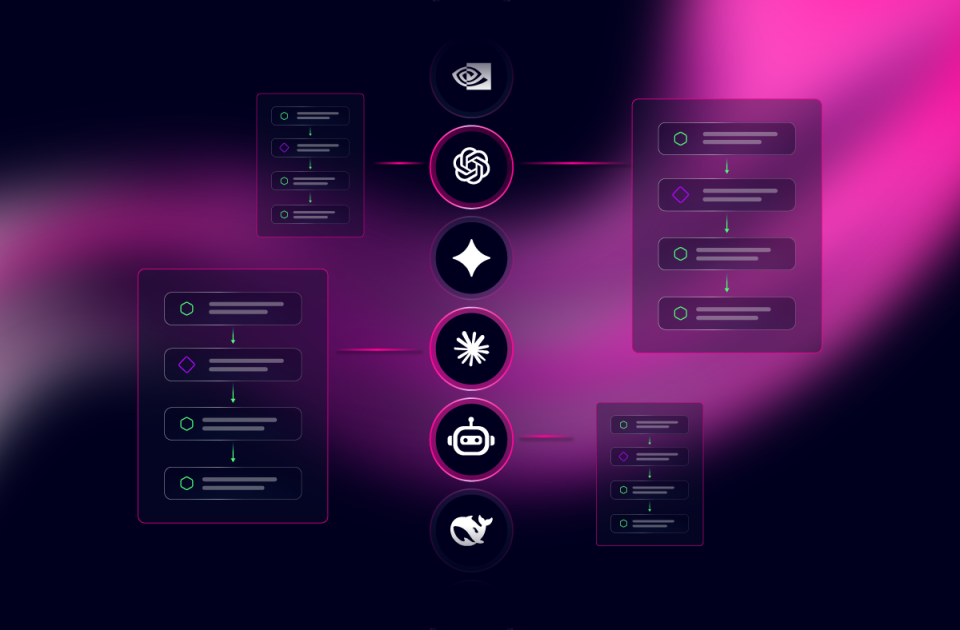
It could be people, it could be pipelines, it could be other agents, right? John, it could be AIOps platforms calling itself with some of these issues. In this case, we’re going to act off of a ticket, right? This is very much ticket-driven because we hear this quite a bit. So we’re going to have a ticket that triggers the incident. And the LLM reasoning, John, like we talked about before, you can switch it. That’s outside of the platform.
Joksan Flores • 21:37
You can plug in your GPT key, your Azure Foundry key, your OpenAI, your big fan of the Open Router, bringing that in. Yep.
John Capobianco • 21:50
And then big proxying along to all the models they provide, right?
Joksan Flores • 21:54
Yep, I’m a big fan. Yeah, Open Router Hugging Face, those are really cool because they let you select any model and the cost. You could be able to bring a lot of the costs of these executions down to very, very, you know, fractions of a cent. So definitely a lot of flexibility there in what you can do and, you know, a lot of flexibility in the model selection. Okay, and now, John, of course, as every as every time, right, we always try to wrap up with, hey, this is all powered by the Attention platform, right? So, obviously, we’re doing everything inside of the platform and the guardrails that controls the accounts that can do this stuff, right? The RBAC membership from the service account that’s triggering this, the agent harness itself that lets me have the deterministic tools like workflows, as well as attaching only certain tools into each agent, right?
Joksan Flores • 22:48
That lets me control. That is all in Attention, right? I’m not creating custom code. Oh, maybe I could, but I’m not creating custom code. I don’t have to bother with identic libraries or anything like that, right? The entire harness, the entire agent design, and the whole pipeline is done inside Attention FlowAI. So, all I’m doing, John, through construction of this is putting down a prompt, selecting some tools, giving it state in certain situations, and attaching a service account to who and what can trigger this agent, and off we go, right?
Joksan Flores • 23:20
Off we go to the races.
John Capobianco • 23:22
I think that’s really important. There’s a couple things maybe to highlight here. There’s no human context switching here. You’re in the same pane of glass, you’re in the same platform throughout this entire life cycle. And we are building a very powerful agent that can change and remediate and apply fixes. We probably don’t want. Level one service desk, help desk, triage type people that have access to invoke that agent.
John Capobianco • 23:48
Maybe the read agents, we let everybody. Everyone can use the read agents to troubleshoot and help their daily lives. But this select group of engineers that are approved to make changes and the human meet token capability. To read the output and make a valid yes-no decision, right? That is going to be under our back control, very granular, and we can limit the scope, right? This isn’t a free-for-all. We don’t want everyone to be able to have access to all these agents and run them on demand, right?
Joksan Flores • 24:22
Yeah, but very, very well said, John. Like, definitely, right? You know, the ticket creation happens externally. The people approving, right? The meat tokens are proving definitely have their own RBAC, their own controls, and are people that will have access to the environments, right? They should have access to approve or deny, right? That know better, right?
Joksan Flores • 24:38
That know what they’re pushing down to the infrastructure.
John Capobianco • 24:40
Wonderful, wonderful.
Joksan Flores • 24:42
Okay, awesome.
John Capobianco • 24:42
All right. Now comes the really good stuff, everybody. So we’re going to look at a ServiceNow ticket. We’re going to stage a ticket. We’re going to trigger this workflow. We’re going to do this all agentically. We’re going to see the human in the loop and apply some meat tokens.
John Capobianco • 24:56
And we’re having fun with that term. Apparently, the kids are saying that these days. That’s what kids call it. We’re not trying to offend anybody. It’s just we’re just having some fun with the language. So, Joksan, why don’t you take it over here from here?
Joksan Flores • 25:11
Okay, let’s do it. So, like we explained before, John, we have an Agentic Incident Remediation project, right? And this is a project which is a container inside of Attention. And we package these by use case or by permissions and so forth. So, of course, I have all my permissions here for who can modify and change and do anything else. So, John happens to not have access to this right now. So, let’s go and fix that, John, really quick.
Joksan Flores • 25:33
Because, why not? Can I type in? Here, John. Where’s John? John Capobianco now has editor access to this. Let’s go save that. So now John has access to that, right?
Joksan Flores • 25:43
So John can see the entire project and has permissions for you know modifying the agents and so forth. And I can also make him an owner. But all the agents in here are self-contained inside of this package. The main agent here, like I said, we have the incident coordinator before that will do the routing and will do the coordination, the ticket updates, and the human approval steps. And then we have a couple agents that are dedicated to doing remote site troubleshooting, right? One is doing triage, one’s doing remediation. So this agent particularly knows, hey, the basic sequence of when you’re troubleshooting a remote site.
Joksan Flores • 26:13
I got to log into an end host, I got to do ping, I got to find the default gateway, I got to log into the maybe the next hop device if I can’t reach anything. I got to go check, you know, config infrastructure ACLs, I got to check routing peerings, and so on and so forth, right? So this agent is kind of an expert into that domain specifically. Okay, so we have a little bit of a prompting here and kind of talking about the agent. I’m not going to go through the whole thing, but we’ll go through high-level the steps, right? So, this agent is an incident coordinator for closed-loop incident remediation. We have a few steps in here that have the strict order, right?
Joksan Flores • 26:50
And we say strict order, do not repeat a completed step, right? John, I always say, I like to give clear instructions to the agents or to the LLM so that it can process these things properly, right? So, we’re going to do reading the ticket, read the sysid, short description, and all that stuff. We’re going to do triage. We have the remote side triage agent, and this could be other agents as well, right? We could add other agents that troubleshoot perhaps data center, you know, troubleshoot the cloud site or something like that, and just have that built as a little routing, a little table of agents based on capability, based on what the ticket’s requesting. We then record the findings on the ticket on the work notes.
Joksan Flores • 27:24
We submit a human approval for remediate mode only. We remediate. We update the ticket and then we provide a summary and then completion. And we have some rules in here, especially some things about, you know, not fabricating values. Don’t call the agent unless you have explicit approval. Use this task, use that task. And then we have some guidance around styling and things like that because we like to, you know, we’re doing marketing, so we like to use attentional colors, John.
John Capobianco • 27:51
If I could just mention something here, I know that’s so humans are a little bit different in this regard. If anyone has a partner, a husband, or a wife, or whatever. And you say to them, you are always late when we have to go out for dinner. Or you never, you never know where to find your keys. And we get upset, right? It’s the absolute nature of it. What do you mean I never say thank you?
John Capobianco • 28:17
I said thank you three days ago, right? Agents don’t have this ego. And this is how you should talk to agents. Notice, can you scroll down to the bottom in our rules?
Joksan Flores • 28:29
Rules, yes.
John Capobianco • 28:29
Never, never, never, always, never. Absolutes, really extreme words, because the agent doesn’t have any ego to bruise. And it will say, oh, I’ve been told to follow these steps and never do the same step twice. And it will never do the same step twice. It’s this idea of a constitution, of a soul, of guardrails, of the persona. So spend some time here. This is a skill what Joksan is showing you here.
John Capobianco • 29:01
You notice he has some variables. He has some things almost ginger-like that he wants the agent to replace. Really, really solid work here.
Joksan Flores • 29:11
Yeah. Thanks, John. Yesterday we were talking to a customer about this and they were saying, it’s like, oh, they don’t have these skills. It’s like, well, this is the easy stuff, right? This is natural language. You’ll learn this. The one thing is sometimes, not to go in a tangent, but we get into the trap of saying please and thank you to the agents.
Joksan Flores • 29:23
They don’t care. Waste a token. So we use assertive language, which is what you said, Rajan, doing things like never or do this, absolutely always do this, right? That kind of strong language, which you probably can’t use with your significant other because I’ll probably get mad, John. I don’t recommend it. Okay, awesome. So we got the three agents.
Joksan Flores • 29:42
We kind of went through that. We can explore these at some point, right? They’re very short, but let’s just go and trigger this and see what happens. So, I’m in ServiceNow , and I’m gonna go and create an incident here. So, we’re gonna go into the incident table, and we have something new here. I’m gonna go pick the caller, which is me. We got some network incident, and I’m gonna say IP address because I don’t know any better.
Joksan Flores • 30:02
And I’m gonna leave a lot of these fields empty, John, because I’m just a remote-side person, right? I don’t know a whole lot about what’s going on. And I’m saying, you know what? We have introduced a problem before starting this. And I’m gonna call it unable to access 8.8.8.8, right? And this is Google’s DNS. You know, a lot of people will probably frown upon this.
Joksan Flores • 30:22
We can replicate this with anybody, of course, this is just an example. And I’m gonna say, hi, IT team. I’m currently unable to access. Google DNS 8 daddy daddy daddy out of remote site 1 host 1 and these are contextual keys right so notice that I’m using here remote site 1 host 1 right I’m giving it the host access that I can’t access from and things like that if I don’t give it it’ll do its best guess right it knows the site that we’re talking that we’re targeting so now the agent will use that contextual information all this is important right super important contextual information and also we have a little tag just like it’s just like a human right if I got a ticket that says I can’t get to 888 well from where right like you know from where exactly yeah and the agent will go back and do that right it’ll like if I don’t tell it where it’ll just go back and say yo what’s what what are you trying to tell me like please augment the ticket awesome so yeah let’s go back and I think we’re complete here I put my little tag that will cause it to trigger attention and let’s go back and submit Okay, so let’s go and open that ticket before it goes too long here, and we’ll have it. Okay, so we have an incident coordinator, John, that was launched. So I’m going to go back and look at that session.
Joksan Flores • 31:42
This is also the useful things. Like people sometimes ask, oh, what’s going on? Like, how do you know what’s happening? How do you know what the agent’s doing? It’s like, well, we actually have the entire trace here, right? Look, incident 13046, unable to access 88888. And we got the entire session.
Joksan Flores • 31:58
And we have triggered a separate agent. So let’s go back and open that guy as well. And some stuff is going on. So it’s actually going back and say, we have the prompt for that agent. They say the user is unable to access blah, blah, blah. I’ll start with step one and list the notes in the remote side inventory. So went back and listed the nodes.
Joksan Flores • 32:16
Look, John, it’s actually doing some stuff in the server. This is the stuff that’s really cool. It’s like, you know, it actually found reproduce from source host. And look at all these things that it’s doing, right? It looked like doing IP address, an IP route. It’s pinging. I had to ping a couple of times only, then a trace route.
Joksan Flores • 32:31
It’s found, you know, there’s a bunch of output there probably for those.
John Capobianco • 32:34
All right, stay here for 1 s . Stay here for 1 s . Can you expand that one more time?
Joksan Flores • 32:39
We’ll do.
John Capobianco • 32:40
This reminds me of a crazy Linux string you sent me in a screenshot that the agent did a couple days ago. Okay, look at the command array, right? How many people out there, myself included, would do the-BR in IP addr?
Joksan Flores • 33:00
It’s a brief, right? Yeah.
John Capobianco • 33:01
The brief, the flag. How many people would add the count two and the W1 to their ping? Or the traceroute flags? What I’m trying to get at is there’s probably… Let’s be generous, 10% of the population that work in this field, in this industry, that could sit down in a command line and know those commands and the flags and do it. Some of us are unicorns and wizards and can just do this stuff. Some people, though, and who are the people.
John Capobianco • 33:35
That can do that are your senior people. Junior people certainly can’t just hop on a command line and bang this stuff out, right? So, look how far we’ve gotten already with just read-only show type commands. Remember, this is the triage agent, it has no control or tools to actually affect anything. The other thing is, I love these tabs: the reasoning tab and the tools tab. So, if you want to see as you’re looking at these logs, What was the reasoning that the AI was doing?
John Capobianco • 34:06
And then what were the tools that were being called? There’s little filters. You can click on them in the top right corner there, Jockson. Oh, agent reasoning, right? Right, so that’s just the reasoning, and what tools were called, and what were the payloads. Look at some of these tool calls. They’re very descriptive: find the gateway IP owner, find the gateway IP owner, run the EOS send commands.
John Capobianco • 34:28
Very easy to describe, and we can expand them all and actually look at the payload. So, full audit, full compliance. Security people love this, compliance people love this. This is that reduction of fear. This is the way humans start to embrace a new tool and a new technology is through trust and through performance and proving itself, right?
Joksan Flores • 34:53
Yeah. And also, John, right, the other thing is like, you know, talking about the commands, like it sent four commands at once, right? And the gateway is already plugged in. So imagine how long does it take you to log into the box, maybe find, get your authenticator app or your TACX thing, right? Your RSA or whatever, you know, and plug in that code into each device, right? This is talking to two, three devices at once in order to gather contextual information. And it can do it because it has the key.
Joksan Flores • 35:20
And John, sorry for the interruption. 30 filter, this is the key one here. It’s pulling the notes out of that inventory. So we already have those devices on board it. We have secrets integration to fetch data from those devices and so from those nodes, right? So all the stuff is done for the agent, doesn’t have visibility. It just says, I got an inventory.
Joksan Flores • 35:37
I got devices I can touch. Let’s go do that. The platform is doing everything else underneath, right? The platform is doing the non-functionals, the SSH connection, the inventory, the secret fetching, all that stuff that a human will take a while to do.
John Capobianco • 35:52
Well, and I’m thinking in terms of a desktop, back in my day, we had two choices: physically go visit the user if they were in your building and say, Is there a time maybe over lunch where you won’t be at your desk and I can take a look at this problem? Or the other one was VNC. Do you mind if I take control of your machine for a minute and troubleshoot this DNS ticket? And now, two people aren’t working, right? They’re watching you, you’re on their screen. This is all behind the scenes, it’s all done agentically, everyone. Those sneaker net days are all gone, right?
Joksan Flores • 36:26
You’re dating you, Satjo.
John Capobianco • 36:27
I am. I am. Okay, so we follow the trail, and now we’re okay. You go ahead. Go ahead, Joksan. I’m really excited. This is awesome.
Joksan Flores • 36:35
No, this is really, yeah, it’s really cool. It’s just like, you know, you went back and did the, we were in this agent, right? So you have the quick reference here. So we jumped into that agent for triage. We went through another reasoning stage in the incident coordinator and it had ServiceNow ticket update. So we can look back at the ticket and look at that. We got, you know, some triage findings.
Joksan Flores • 36:54
It’s like, hey, inbound ACL block 88888, which is the problem that I exactly added on Ethernet 1, which is on the side border. So the side border switch, I added an ACL block that was before the permit any any, right? And don’t do permit any kits, but you know, you get it. It’s a lab. I blocked 8888 on an ACL in entry number 10. And I did it on purpose. So, you know, it could ping, you know, 0% loss.
Joksan Flores • 37:19
Look, it can ping the default gateway. It’s like, hey, I could ping the default gateway. But I saw that there’s access issues, right? It saw an ACL and it got you the commands down here. And it, you know, messed up a little bit the formatting. I found that there is a you know, there’s an ACL blocking, there’s an entry 10 deny IP any host 88888, and it’s recommending that we do configure IP. Let me separate this up because it didn’t, you know, it did it as a flat string.
Joksan Flores • 37:46
IP access is block 88888, no 10. So it’s recommending we remove entry number 10 on the device. But let’s go back, and this is all in the ticket, and it’s all pretty, but it actually looks a whole lot better over here. So we go to work center, and this is where the meat token, well, and I’m sorry, overusing the term a little bit, but you got the whole thing here, right? So remediation approval, incident number, blah, blah, blah. Unable to access blah, right? User has this issue.
Joksan Flores • 38:13
We saw that before. Evidence, site one, host one. We pinged two packets transmitted, 0 % , right? 100% packet loss for this host. We did trace route. We can ping the default gateway, ting 10, 100, 10.1, 1.111, 0% loss. So you saw, John, like, was one of the things that’s interesting, right?
Joksan Flores • 38:32
It logged into that server and it ran a couple sets of commands because I found that the 1st time it looked at the default gateway, it looked at, you know, blah, blah, blah, and then it tried to ping the IP that’s problematic. So it’s like, hey, I got network access, but I just can’t ping this one IP. And then it went to side border and did a show running config diffs, and it found that there was a change, and it found that an ACL was in fact blocking it, configured on Ingress, right? So it’s saying command supply configure IP access list blah, no 10. And the precondition, and then it’s got the rollback also, John. Look, it also has the rollback in here, which is extremely valuable, right?
John Capobianco • 39:10
Yes, yes. Now, in terms of human activity, if this came to me, checking the ACLs on the outbound, on the egress interface is probably like 25, 30, maybe 40 steps in my thinking down the line. I mean, I’m going to be looking at DNS, I’m going to be looking at real firewalls, I’m going to be looking at routing tables, I might be looking at ARP tables and Mac tables. And who knows before I actually think to do, well, let’s do a show run and actually look at the running config. Who knows how many steps that is? That’s not an early step. I mean, you don’t just look at the running config early in your troubleshooting.
John Capobianco • 39:52
And then to think to look at the ACL list, spot the 8888 rule as rule 10. I mean, Joksan, this is exciting, right? This problem might have taken a full day, two or three engineers, a couple of escalations, you know?
Joksan Flores • 40:12
Yeah, and we can teach these agents the methodology, right? Like one of the things that I did with the triage agent, this like I told it: hey, go back step by step, go to the host, find that you have network, make sure that you have default gateway. Make sure I didn’t tell it to go check ACLs. I’m like, hey, go and check step by step. Make sure that the border has peering, that you have reachability to the rest of the world, right? And then you start looking at the layer, as we’re using up the layers of the OSI model, right? And looking at, okay, now I can ping certain IPs, but I can’t ping the others.
Joksan Flores • 40:40
So let’s start looking at policy, routing at the border, right? So it kind of focuses on the border quite a bit, right? We could go back and look at the trail, but it actually probably sent a bunch of commands to the border. And one of them was the shortrunning config diff, which catches, and again, John, right? The other thing that you said, and I’ve done this and I’ve been guilty of in the middle of the night troubleshooting something, I’ve missed the detail, right? I have missed that detail, especially looking at an ACL, you know, maybe a bunch of lines, I will miss something. But the models don’t miss anything because they get tired, right?
Joksan Flores • 41:10
They’re not tired.
John Capobianco • 41:11
Yeah, and the other thing, you mentioned the OSI, so this is a layer four problem.
Joksan Flores • 41:16
Yeah.
John Capobianco • 41:16
So I have, so yes, yes, there’s three different methods of troubleshooting. Top down, where we start at layer seven at the application layer. Bottom up, where we start at layer one, the physical layer. Some people do middle of the stack troubleshooting. They’ll start at layer three. Is layer three and above okay, or is layer three and below okay? So, depending on your methodology, if you started at the top, you would have to go through.
John Capobianco • 41:41
You know, layer seven and then likely layer four, so you might find it quicker. If you started at the bottom, you got to go through all the way through layer one, layer two, layer three, then you hit layer four. If you start in the middle, it’s still one step away. You start at layer three and maybe move up to layer four and get lucky instead of moving down to layer two. This is an art form, people. This takes 25 years to build up intuition and muscle memory. Joxin, I used to tell people I could smell a problem in my network.
John Capobianco • 42:12
I would walk in the data center, and if it smelled different, I could tell that there was some problem. But so let’s continue. So we are now fully in. This could sit here and wait till the change window, right?
Joksan Flores • 42:26
Yep.
John Capobianco • 42:26
And we can approve this in Work Center during the change window, or by approve, we build in the dispatch the schedule, yep. Right, right. All right, let’s go ahead.
Joksan Flores • 42:36
Yeah, so we’re going to go ahead and approve it, like you just said, John, right? It could be sent on a schedule after we do the approval as well. So we could just dispatch a scheduled agent. Look at how we did also. This is the other thing that John, people forgets. Like I did the approval. It’s actually logging the approval immediately and it did it in a 2nd , right?
Joksan Flores • 42:54
It’s 1 s took to update the approval real time. So you’ll see a full trailing incident ServiceNow , where normally you’re going to see one or two notes if a human’s doing it. Not to shame humans that are doing support, right? But I’ve been there. John, you’ve been there, right? We get tired. We’re focusing on fixing the problem.
Joksan Flores • 43:10
Not really, we’re going to document it after the fact. The agent’s actually documenting real time. So we go back into the remediation agent. It’s doing the before connectivity state. Look at that, John. So it actually did validation before. So this agent’s not trusting what it was told by the triage, right?
Joksan Flores • 43:27
What it was passed in from the triage.
John Capobianco • 43:28
Right, so remember, this is a 3rd separate agent. We have our incident coordinator, our triage. This is a 3rd separate agent. And like Jackson said, it itself is going to do its own. Okay, I know that’s the context you’ve given me. Let me check it out for myself before I proceed. Wonderful.
Joksan Flores • 43:47
Maybe it was a transient problem, right? If you’re dispatching the remediation agent in the middle of the night, maybe it was a transient problem. So it’s good to always double-check that the conditions apply. And if you know, I found it, precondition matches applying. It’s going to go back and send the commands. And look at that. We constructed the array and doing configure, ACL, blah, blah, blah.
Joksan Flores • 44:04
Return. We got all that back from the device. Let’s collapse this. And now we’re going to go verify again, right? Running the probe on the Linux server. And let’s see how many commands we’re running this time. Just ping and traceroute.
Joksan Flores • 44:18
Dash C2, John, again, right? Super, you know, very well-crafted command to keep it clean. And then in the EOS device, we’re doing show IP access list. You know, look at that. So super clean, keeps context small. And like we said, John before talking, also keeps the token usage down, right? So we’re using small agents to do some of this work.
John Capobianco • 44:38
I know this is anecdotal, but ChatGPT 3.5, when I started doing like ping testing with PyETS, I had to tell it, like, don’t send more than three pings. Right? Because the agent would go and it would just sit there. Like, what’s going on? And I’d break into it and I realized that it just ran ping, which is an infinite thing. It just pings and pings and pings and pings. Now the models are actually saying, oh, send two pings.
John Capobianco • 45:06
That is progress, right?
Joksan Flores • 45:08
Yeah. After two pings is good, right? One does enough for ARP and the 2nd one’s enough for validating. So that’s perfect. So the agent kind of knows that.
John Capobianco • 45:15
Yeah.
Joksan Flores • 45:16
And look at this. So going back to Work Center, which I didn’t have to go and reopen, right? So we got the full trail also, John. So in Work Center, it’s really cool. I like that I can trace my way back to like the 1st request for approval. And then now I had the final incident summary. So I’m just sitting here.
Joksan Flores • 45:30
I didn’t do anything, right? We’re obviously clicking through pages and stuff, but some human, single human that’s approving things could just sit in Work Center, look at the work that gets assigned for each ticket, and just come in here and approve deny. So root cost, inbound ACL blocked. Device had Ethernet one, sideboarder one, Ethernet one had tendon IIP host any any and or any host 88888 dropping side traffic configure it did the node 10 before and after ACL only shows permit any any now and now ping288888 0% packet loss from the host and traceroute follows one hop to and obviously we got a fairly simple topology for this and then the incident has a full remediation record and it was not set to resolve because obviously you know some of the tools don’t support state changes right you can’t close a ticket in ServiceNow a human has to go do it from the machine but now we got this so we’re gonna go ahead and acknowledge that and I think the agent will finalize execution after this should yep there you go so you got a full summary John this session will stay here in the platform you can export this via API you can take the session ID and have the audit trail but then also in ServiceNow look at that our ticket has been done let’s see if I refresh this guy it’s set to in progress it’ll move to remediate it but then we got all the notes if we look from the bottom we got new empty in progress we looked at this one already right the confidence high for the triage remediation approved And then the entire remediation record, resolved, remediated. This is what got applied. This is what we did.
Joksan Flores • 47:01
And, John, like you said at the beginning, what we were talking through the demo flow or the topology, we could also have to, you know, another step that could be very easy to do is like go and update my system of record, right? Go and update my InfraHub, my Nautobot, my Netbox, my SolarWinds, take it back up to the config. I don’t know, do whatever. So human, I’m going to go and do email the user, do whatever, right?
John Capobianco • 47:23
Yeah.
Joksan Flores • 47:24
Yeah, absolutely. Yeah, so resolved, I’m going to do solved permanently, solved remotely here, workaround. Perfect. Yeah. Yep, be sold by a potential AI agent. And we’re going to go save that. And I got fully on.
Joksan Flores • 47:40
I’m going to close that ticket, John, and we’re done with that. So just imagine, right? All that work done via the agent. I just did a couple things in here, and we’re good to go. So this wraps it up, John. This is the demo.
John Capobianco • 47:52
So we spent about 15 minutes talking. If you want to maybe stop sharing the screen, we can kind of wrap things up here today. Pardon me, 1 s . Excuse me. So that’s exciting. So 45 minutes into this, 15, 20 minutes of talking and joking around. 20 minutes, 20 minutes for the three agents to do, pick up the ticket, find the problem, ask the human and propose the solution, apply the solution, test the solution, update all tickets, and close it out with a human in the loop.
John Capobianco • 48:28
Again, I think this is exciting. And I think that if you’re new to Itential in particular, or if you’re thinking about our solution or thinking about agents, even without our solution, read-only triage is, to me, we’ve been banging this drum for about a year now since FlowAI Jockson. That this is like a very, very good starting place. Because I don’t want to have people do agents that aren’t giving them value just because they’re safe and read-only, you know? But I also don’t want to give them agents that are. So powerful and doing configs without process and guardrails. So, this is a nice Goldilocks zone.
John Capobianco • 49:10
Right? And what if all you ever do with AI agents is triage tickets? I think that makes AI valuable in networking and infrastructure and just all by itself, just that capability. If it never got any better than it is today, if we never add any more capabilities or protocols or future Star Trek stuff, even right today, this is going to make networks better. It’s going to make problems go away faster. Imagine actually seeing an empty ticket queue. Like, if that’s a goal of yours, is to have a zero inbox approach, but zero inbox for your ServiceNow tickets.
John Capobianco • 49:50
Or at least know they’re being worked by agents. They’re not just sitting there stale in the queue, right? A lot of human help desks, there’s a shared inbound inbox for tickets that come in, and you round robin. Everyone just picks up the latest ticket. It’s my turn. I’m going to pick up the ticket. It has nothing to do with specialty or expertise.
John Capobianco • 50:11
It’s just triage. So you’ve got five people in the help desk, and they’re just picking tickets, doing the best they can, trying not to escalate, trying not to ask other people for context. It’s disruptive, right? This is sort of why the IT department is not seen as a profit center. It’s seen as a loss. It’s because of how much resources and money and time goes into just keeping systems up, right?
Joksan Flores • 50:37
Yeah. And, John, and the other thing is, you know, sometimes I talk to customers, and customers are concerned about it. It’s like, hey, you know, these things are going to take my job. And we talk about this quite often. I think we have this conversation all the time. I like to say, and this is the way that I like to see it: I want everybody to be promoted, right?
Joksan Flores • 50:56
If you’re the expert troubleshooting remote sites, I want you to spend time designing and curating and improving this agent, not doing the same work over and over again, right? So now you can become that expert that designs this process. You saw it, John. It’s nothing special, right? I’m not claiming to, we’re not claiming to be geniuses here, right? This is a lot of like prompting and steps. And I did a little bit of testing, of course, because there are some steps that it’s like, hey, maybe I want this thing to be before the other.
Joksan Flores • 51:21
And this is why I’ve been very prescriptive: like, hey, follow the steps in order. But you can start basic and you get better at designing these agents and testing them. But you have that knowledge in your head of how to troubleshoot that site or the data center or the host access or the IP or whatever, right? You can take that knowledge.
John Capobianco • 51:39
That’s the key to all of this, and that none of us are saying this is going to replace you. It’s going to extend you and augment you. Right? We, we, Joksan and I, if we, you know, I wouldn’t be able to build a human resources agent agentic workflow. I wouldn’t be able to build a finance agentic workflow. Maybe the agent stuff, but I don’t have the domain-specific knowledge. I don’t have the history.
John Capobianco • 52:03
I don’t have the certifications or the education in those fields. Right? So, not everybody’s just going to be able to walk up and go, oh, I’m going to make a network troubleshooting agent. Okay, that’s naive. But what it’s going to do is allow you, the people on this watching this, that are certified, that have been doing this for 25 years, or that have been doing this for a couple of years. This is how we pour our. Our context into the Agentic building, right?
John Capobianco • 52:32
So, this should excite you. Joksan’s here to reach out for demos at any time to see this live. I’m here for demos anytime. Please send us DMs and reach out to us. This went a little longer, but that’s fine. This was an important one today. So, if you need anything from Joksan or I, reach out to us.
John Capobianco • 52:49
We’re happy to get you demos. We are going to be running a workshop at AutoCon 6 in Tucson. Find us in person there. And, Joksan, bravo, man. I’m really, really excited about what you pulled off here today. That was really cool.
Joksan Flores • 53:03
Cool. I love the practical application. And, you know, we talk to customers and I spark seen idea. It’s like, okay, let’s go and show that because I know everybody’s struggling to some of these things. So, appreciate you, John. The time, the context. You’ve done the job for a long time.
Joksan Flores • 53:14
So, you understand that these are real problems that we’re solving.
John Capobianco • 53:17
All right. And if you have complaints about the use of the word meet token, we’ll give you an inbox you can send your complaints to. All right. Thanks for joining us, everyone. We’ll see you next time. Bye, everybody.


 Build Build agents & workflows visually, with AI, or bring your own.
 Integrate Connect every system, tool, agent, & AI in your stack.
 Execute Execution for agentic & deterministic operations.
 Secure & Govern Govern every action with built-in RBAC, audit & approval gates.
 Operate Self-service operations & real-time visibility.









 Agentic Operations Connect AI to infrastructure for trusted, automated actions.
 AI Vulnerability Response Discover & remediate critical vulnerabilities at machine speed.
 Infrastructure Modernization Transform legacy networks into modern, AI-ready infrastructure.
 Infrastructure as a Product Deliver network and infrastructure services on demand - self service, governed, & consumed like cloud.
 Hybrid & Multi-Cloud Orchestration Unify hybrid & multi-cloud infrastructure through agentic orchestration.
 Unified Change Management Unify network & infrastructure changes across every team, tool, & domain.