FlowAI is the agentic harness of the Itential Platform. Build and run FlowAgents that investigate conditions, make decisions, and act through your existing infrastructure tools. Combine reasoning with deterministic automation, with controls over access, execution, and human review.
FlowAI brings agent reasoning into the same platform as your infrastructure automation. Build on the tools and expertise your team already has, choose the models that fit your requirements, and combine reasoning with deterministic execution. Define what agents can access before they run, with controls enforced by the platform.
Define each agent’s tools before it runs. The platform enforces that scope, preventing the agent from granting itself additional capabilities.
Use supported models that fit your requirements. Choose per agent to balance reasoning capability, speed, and cost.
Combine adaptive reasoning with established procedures. Agents and workflows call each other, building on the automation you already trust.
Apply platform permissions, secrets management, and execution logging to agent-driven work, with human review where needed.
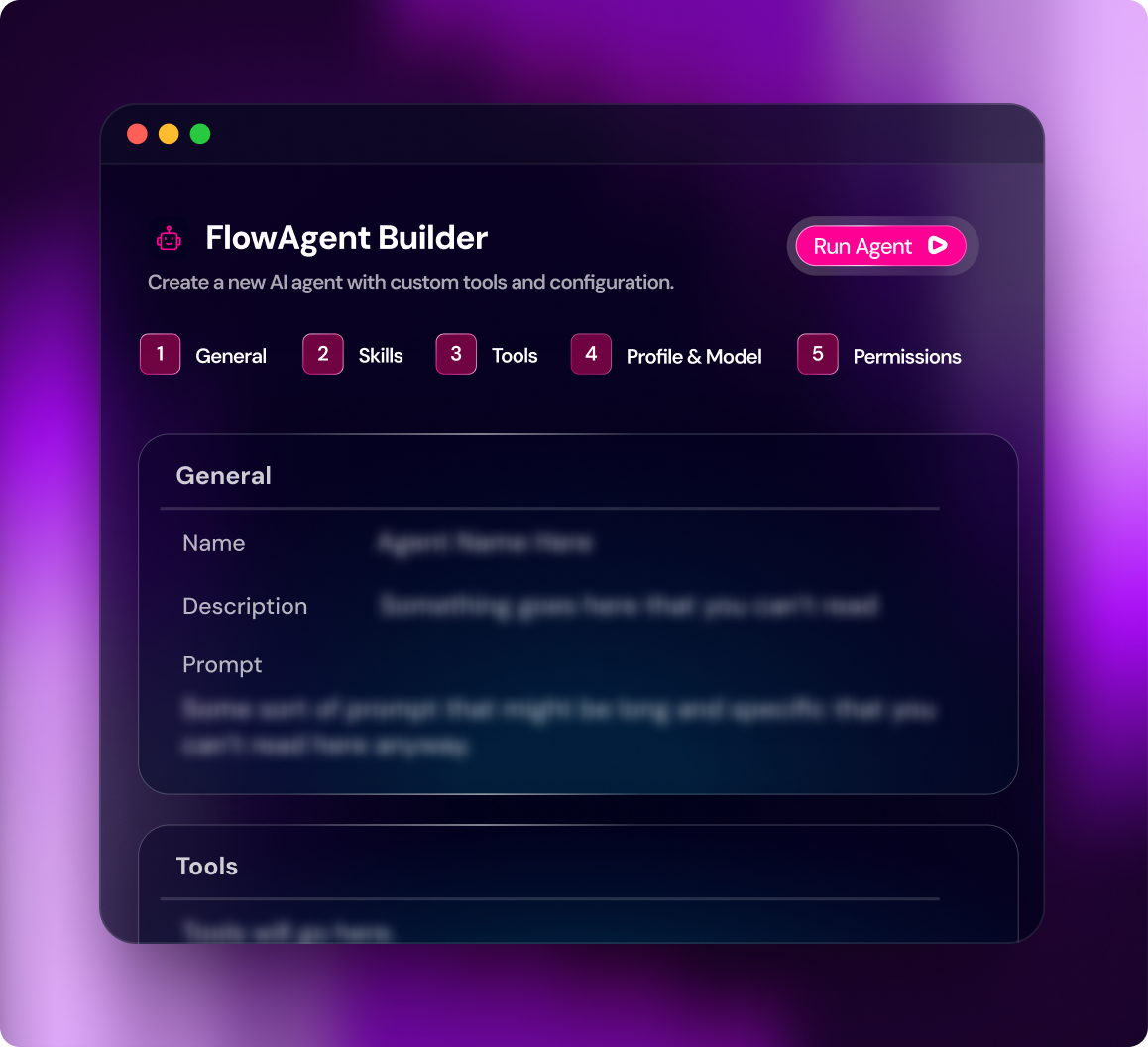
Define what a FlowAgent should do and equip it for the task. Configure its instructions and inputs, select a reasoning model, attach operational skills, and choose its available tools. Use FlowAgent Builder to create reusable agents that reflect your infrastructure requirements, then test their behavior before putting them to work.
Use your organization’s preferred models with FlowAI. Model Registry lets you choose the right available model for each agent’s work, balancing reasoning capability, speed, and cost while keeping provider access under your team’s control.
Give agents the procedures your team already follows, or start with Infrastructure Agent Skills. Reuse guidance for operational checks, vendor-specific steps, error handling, and verification across FlowAgents.
Choose the workflows, APIs, Gateway services, and other capabilities the agent can call. Build on the automation you already have to gather information and get work done.
FlowAgents interpret a request, gather information through their tools, choose actions, and assess the results. Use them to investigate unfamiliar conditions, coordinate tasks, and work through exceptions. Run agents alongside deterministic workflows, using each where it fits the operation, and inspect their activity in Agent Sessions.
Run agents on demand, through schedules, APIs, or events, or invoke them from workflows and other agents. Connect reasoning to the processes that already initiate infrastructure work.
Have agents turn their findings into outputs your team can use. Update a ticket, send a report, or return results to the process that started the work, using the tools configured for the task.
Review tool calls, results, errors, and linked workflow jobs in Agent Sessions. Investigate unexpected outcomes and pause, resume, or cancel sessions when intervention is needed.
Some infrastructure work follows an established procedure. Other work needs investigation and judgment. FlowAI lets agents and workflows call each other, so you can use the right approach for each part of an operation and build on the automation your team already trusts.
A FlowAgent interprets a request, gathers context, and calls existing workflows to carry out defined tasks. It assesses the results and determines what comes next.
When a workflow encounters an unfamiliar condition, call a FlowAgent to investigate. Return its findings to the workflow to inform the next step or escalate for human review.
Use deterministic workflows for established steps and reasoning where conditions require interpretation. Combine both within the same process, with checks and approvals defined for the operation.
Make existing automation and integrations available to FlowAgents. Use platform workflows, APIs, and Gateway services as tools, and extend their reach with external MCP services. Connect external AI clients to Itential through Itential MCP Server, giving teams additional ways to use platform capabilities.
Give agents access to selected workflows, integration methods, Gateway services, and other available capabilities. Reuse your existing automation investments without building a separate MCP server for each platform tool.
Connect registered external MCP servers and expose their tools through Gateway services. Add relevant capabilities to FlowAgents for gathering information and performing tasks across connected systems.
Connect compatible external AI clients to available Itential capabilities. Let those clients invoke platform tools through authenticated connections using the permissions granted to them.
Set the boundaries for agent development and execution. Control who can configure agents, which tools each agent can invoke, and who can run it. Include human review where the process requires it, with execution records that help teams assess outcomes and investigate problems.
Use application permissions, project roles, and agent access settings to separate who can develop agents from who can run them. Give teams access appropriate to their responsibilities.
Assign each agent an explicit set of callable tools. The platform enforces that selection; instructions and skills do not grant access to additional capabilities.
Include manual review, approval, or input tasks where required. Use Work Center to complete those tasks and Agent Sessions to inspect activity or intervene in execution.
Start with a defined task, equip the agent with relevant expertise and tools, and inspect what happens when it runs. A CVE impact assessment illustrates how these components work together.

Configure an agent to assess a vendor advisory. Specify the information it receives and the assessment it should return.
Choose its model, attach relevant infrastructure skills, and select tools for inventory and configuration checks.
The agent interprets affected versions and configuration requirements, then gathers information from connected systems.
Selected tools perform the checks. The agent evaluates their results and identifies findings or uncertainties requiring review.
Inspect the assessment and session activity. Use the evidence to plan remediation, with further actions governed by the process your team defines.
Learn why Gartner chose FlowAI as one of only five products named in the first Agentic AI for Enterprise Networking report.
Use FlowAgents where an operation requires interpreting information, investigating conditions, or choosing the next action. Combine them with existing automation and the checks your team requires.
Run different health checks through one FlowAgent. See how operator inputs and templated prompts guide platform, routing, interface, environmental, and security checks, with findings delivered in a consistent report.
See a FlowAgent read ticket details, run read-only diagnostics, identify a likely root cause, and write its findings and recommended actions back to ServiceNow.
Use existing Ansible automation to check patch status and run readiness checks where updates are needed. See a FlowAgent interpret the results and deliver clear Slack summaries and email reports while workflows handle the defined execution steps.
See FlowAgents interpret CVE advisories, assess affected products, versions, and configurations, and compare those conditions with inventory to produce a list of exposed devices, plan, and even execute remediations for identified vulnerabilities.
See a FlowAgent work through a load balancer request, check for an existing VIP, create the service, and call a DNS agent to provision its record, with human interaction through Work Center.
See how FlowAI gives agents the tools, context, and governed execution layer to take real infrastructure action, safely and at scale, with a full audit trail on every action.
FlowAI acts as the intelligent, reasoning, agentic layer on top of the Itential platform and its deterministic execution engine. This combination of AI-powered reasoning with governed execution, enables organizations to achieve agentic infrastructure operations without sacrificing control, stability, or predictability.
A workflow is deterministic, a defined sequence of steps with validation, approval gates, and rollback built in. It executes exactly as built, every time. A FlowAgent is the reasoning layer above workflows: it interprets a goal, queries infrastructure state, selects the right workflows as tools, and sequences them based on what it finds. Agents adapt. Workflows execute predictably. The agent reasons, the workflow executes.
Every FlowAgent is configured in FlowAgent Builder before it runs. Define the agent’s purpose, reasoning style, and an explicit set of callable tools: workflows, automations, APIs, and MCP services. Nothing outside that set is visible or callable at runtime. Configure human-in-the-loop approval requirements per operation type and blast-radius threshold. Scope, autonomy, and enforcement are set at build time and applied by the platform at runtime.
The agent observes current infrastructure state relevant to its goal, reasons through what action is required, selects a tool and acts, then observes the result and reasons again. This loop continues until the goal is achieved or human input is required. Every action routes through the platform’s execution engine with RBAC enforced and an audit trail generated, regardless of how many reasoning cycles ran before acting.
External LLMs (Claude, ChatGPT, Gemini, or any custom model) connect via the Itential MCP Server, an infrastructure and networking MCP server available as open-source. Any MCP-compatible system can call platform workflows as callable tools. The FlowMCP Gateway works in the other direction, letting agents call external MCP tools (NetBox, Selector, Forward Networks) for intelligence enrichment during execution.
Both, and it’s configured per agent and per operation. FlowAgent Builder sets autonomy thresholds precisely: fully autonomous for low-risk operations below a defined blast-radius threshold, human-in-the-loop for operations requiring explicit approval, or human-on-the-loop for monitored execution without per-step approval. Settings are configured at build time and enforced at runtime. Agents cannot self-escalate autonomy beyond what was defined when they were built.
LangChain and LangGraph build agent reasoning logic well, but leave the execution layer entirely to you. API wrappers, secrets management, RBAC, audit logging, rollback, approval gates: all custom code your team owns in production. FlowAI provides the execution layer those frameworks don’t. Agents reason in any framework and execute through Itential, with every action carrying pre/post validation, RBAC enforcement, and a complete audit trail without you having to build that infrastructure yourself.
AI assistants like Microsoft Copilot surface recommendations. They don’t execute infrastructure changes. An assistant can suggest a remediation. It cannot validate pre-conditions across thousands of devices, execute changes via a governed workflow, confirm post-change state, and produce an immutable audit trail within defined approval thresholds. FlowAI closes that gap. Copilot and similar assistants connect to Itential via MCP: the assistant reasons, Itential executes. The insight and the action finally connect.
Yes. Existing Ansible playbooks, Python scripts, and OpenTofu plans become callable tools that FlowAgents can reason over and invoke. Engineers keep building in the tools they already use. The platform handles execution, RBAC, audit logging, and rollback for every call, whether the trigger is an agent, a workflow, or a human.
No. A FlowAgent reasons over a fixed set of tools, but it never holds, sees, or handles a credential directly. Every credential lives where it always has: on the Integration Instance, Adapter, or Itential Gateway service the agent is authorized to call, injected at execution time only. A builder can scope an agent to a read-only or narrowly permissioned integration instance, so the agent’s blast radius is bounded by that instance’s access, not by anything the agent carries. The agent reasons. The credential stays in custody.
LLM Provider Profiles separate model administration from agent design. An administrator saves a provider credential once. From that point the key is write-only, masked in the UI, and never returned through the API, export, or audit logs. Builders select a named profile when configuring an agent; they never see or manage the underlying secret. Every profile event, including creation, edits, deletion, and credential validation attempts, is written to an audit trail.
FlowAgent Sessions record a complete chronological trace of every run: each reasoning step, each tool call, and any child sessions or jobs the agent invoked. Visibility is the same whether the agent called a workflow, another agent, or an external MCP tool. Because an agent’s path emerges at runtime rather than being fixed at design time, the session trace is what makes agentic automation auditable and operable in production.