John Capobianco • 00:00
Going to be showing you how you can BYO MCP, bring your own MCP to the Itential MCP gateway, connect it automatically to the platform, and start building Flow AI agents that can now at build time selectively choose the tools that we’ve just exposed on the MCP server on the gateway. And we’ll build an agent today to just show you how all this fits together. We’re actually going to look at two different MCP servers that I’ve written, but there are many more and we’ll explore that as well. So let’s get started. Without further ado, I’m going to be sharing a PowerPoint slide. Deck, excuse me, to get things going just to start the conversation. And I’m sorry about the tunnel effect.
John Capobianco • 00:57
Here we go. This is what I want. All right, so let’s get the slideshow started from the beginning here. I don’t know why from beginning is. Hang on. Come on. Here we go.
John Capobianco • 01:10
From beginning. All right. So bring your own MCP, give flow agents the tools they already trust for agentic operations. And you can see here that we’re going to be connecting to Netbox, Python scripts in the form of PyATS. And we’re going to be connecting to some other tools as well. So model context protocol. I like to say it backwards.
John Capobianco • 01:36
And I think that does help maybe, especially network engineers, understand this or anyone who works with protocols, HTTP, SMTP, SNMP. There’s lots and lots of protocols. So the P is self-explanatory, but what is this protocol for? It’s for context. And today’s context is going to be the instructions we give the agent, as well as the context the MCP server establishes to a model, in this case, a large language model. All right. So, this is an open standard for AI context.
John Capobianco • 02:14
And what I like about this is that it’s just like other protocols. I don’t have to use Outlook to send emails, right? Or maybe receive emails from people who use Outlook. Like, there’s many, many ways to send and receive emails because of the protocol, the commons, as it’s known, right? So, MCP is now an open protocol. So, I can use Flow AI agents today. We can use Claude Code, we can use Copilot, we can use Cursor, we can use AntiGravity, right?
John Capobianco • 02:50
So, there’s lots and lots of ways to connect MCPs. Today, we’re going to be showing you the simplicity of how we connect it to a gateway and expose it to our platform in Itentral. So, it’s client-server-based, and usually there’s a host, and today’s host is going to be the Flow AI agents that we build. We have the client and the server. The server is running on our gateway, and the client, again, is that agent in the platform. So, tools are what we really want to expose to the large language models. Large language models can do what’s known as reasoning, and they can also do what’s known as tool selection.
John Capobianco • 03:36
So, the tools in that tool selection idea are typically in this modern world model context protocol, server tools. So, we’re going to show you how today at build time in Itential Stack, we get to selectively pick and choose the actual tools that we’re going to allow the agent to use. All right. So, and then we’re going to see, you know, resources and prompts I think people understand. Now, if you want to build your own MCP server, I’ve built two MCP servers that we’re looking at today, and I used FastMCP. Now, it really is this simple: import FastMCP from FastMCP, instantiate an instance of the class, right? Decorate your [email protected] and then your tool.
John Capobianco • 04:38
Now, my PyATS one has a little bit more than this, but this you will find all of this code in the PyATS MCP server I built, as well as the Netbox MCP server that I’ve built. Right, so expose actions as tools, or you could even expose data as resources through MCP should you have a URL that you want to expose or some data with a URI associated with it. Again, we talked about the impact of protocols. How many people are handwriting letters after email came out, right? How many people, right now, web browsers and web servers, right? The early primitives was just text and then suddenly HTTP and then HTTPS. And then internet routing protocols, RIP v2, I started with RIP v1, a routing internet protocol, and then v2 and then OSPF and then VGP.
John Capobianco • 05:31
All of these are protocols and they have a huge impact. And that’s why MCP has had such a huge impact is because it’s a protocol. So it’s the USB-C, right? You can plug MCPs into any kind of client. There’s over 20,000 now, I think, generally broadly speaking. It’s embraced universally by Microsoft, Google, OpenAI, GitHub, AWS. Very, very large enterprises have backed, and the hyperscalers and the providers and the vendors have backed MCP.
John Capobianco • 06:13
It’s actually part of the new Cisco Certified Network Professional Automation Track. You will find MCP content in that exam’s blueprint now. And I think we’ve already hammered to death at its client server architecture. A quick look at Fast MCP again. And the architecture allows for local STDIO standard input-output MCPs or remote MCPs using web AIs over streamable MCPs on the internet or on a web server somewhere. So there is a real purpose here. This isn’t just a fun exercise.
John Capobianco • 06:55
We can empower these agents with PyATS tools in particular and Netbox tools and let the agent do a lot of the heavy lifting, including what we’re going to see today: some safe read-only documentation and source of record creation, all right, automatically through the agent through these MCPs. So let’s quickly look at the Itential platform, all right. This is the platform architecture. Now, this isn’t meant to be an eye chart, but we have exposure through REST APIs and exposure through our own MCP server that people, pipelines, and agents can connect with. We offer the ability to build with our flow agent builder, with our workflow studio, with our lifecycle state, and with golden configurations. And I would actually include building externally with our new Anthropic published skill and our builder skills that are available on GitHub. And then a way to operate with self-service, through a work center, and through flow agent sessions.
John Capobianco • 08:03
That’s the build and operate. And then we actually move into the execution with the message bus and the events, the agent engine itself, the workflow engine, our gateway manager and inventory manager. And then the really important stuff. It’s not the exciting stuff, but the extremely important stuff, such as single sign-on, RBAC, secrets management, audit, archive, and logging and eventing. And I’m going to show you this live today: some of this infrastructure and how it’s so distributed and modular that I can run the platform in the cloud and run the gateway on my local Mac and use a client on my Mac at the CLI to interface with my gateway. All right. So with Flow AI,
John Capobianco • 08:49
We really are talking about building agentic solutions for infrastructure. Don’t limit your mind to networks today. That’s what I’m going to be showing you. But I did live in the world of infrastructure, broadly speaking. And these agents can be used for a wide, wide variety of on-prem, in-the-cloud, private cloud infrastructure components, let’s call them. All right. So, you’re going to see the Flow MCP gateway today live.
John Capobianco • 09:21
And you’re going to see that I’m going to use a CLI to talk to that gateway. And we’re going to register MCPs with the platform automatically. So that way I can move into the Flow AI builder components and connect them to my agents. All right, so let’s get into it. Before I forget, I would really strongly recommend that you check out this ultimate MCP guide, 56 essential MCP servers for AI-driven network automation. I wrote this and I did all of the research and all of these MCPs work and are very valuable. So just randomly, right, there’s a big, you know, an F5 MCP server.
John Capobianco • 10:04
This link should take us to the GitHub repo. And everything I’m going to show you today, you could bring this MCP into your gateway like I’m showing you. In fact, you could bring in all of these or any of these that apply to you and your environment and start building flow agents to interface with the infrastructure these MCPs interface with. Today, I’m going to be using the Itential dev stack. So, you can build a lot of these components, all these components, right, a local environment for the Itential platform. Now, I want to be clear, my platform is in the cloud today, but I’m running the gateway, the MCP gateway locally, right? And I’m going to be running the make setup for the IAG5.
John Capobianco • 10:50
So, if I just scroll down a little bit here, I’m running gateway 5 locally, and I’m using the IAG client to talk to it. And a little further down, I believe there is the make IAG5 command that I’m running. Now, I’ve made a little README file that I’m going to be following along today so that way it’s easy for me and easy for you. But I wanted to make a README file to show you just how few instructions I need to follow to do this and how easy it is to BYOMCP. The MCPs we’re bringing in today are PyATS MCP server that I wrote and the Netbox MCP server that I wrote. I’ve set up an Itential site in the demo netbox environment. And, oh, I need to add a device here real quick.
John Capobianco • 11:41
So, let me quickly add a device. This one, and it’s a router, and it’s an ISR, and it’s in Itential. All right, create. Just a bit forgot that. So we have this device in our site, and we’re going to go ahead and try to populate it with the real interfaces and the real IP addresses on that device. All right. Now I have my Itential platform here.
John Capobianco • 12:12
Let me log back in. You’ve logged out. I don’t want to log out. Let me just try this again. I’m sorry. Here we go. All right.
John Capobianco • 12:28
Okay, I’m in here now. And it just started to rain. So let’s go back to where I started at the CLI here. So I’ve get cloned. I’ve brought down the itential dev stack. And I’ve customized it a little bit. And I’ll show you where and how.
John Capobianco • 12:51
Because I’m running it in a Docker container, we’re going to need to mount a volume to store the MCPs. All right, so we’re going to make a dir here, gateway MCPs, and we’re going to switch into this gateway MCPs folder. All right, so CD gateway MCPs. And then let’s go ahead and bring down those two repositories. All right, now we’ve cloned everything into the folder we’re going to mount. Now, for PyATS, there is a folder, a file that we’re going to edit. So, let me quickly get out of that device and switch into the gateway MCPs folder.
John Capobianco • 13:35
So, there’s our folders, and we’re going to switch into actually let’s go ahead and launch this in VS Code. And we’re going to show you that there is a testbed file. Okay, it doesn’t come with a sample testbed file. I don’t think it does. Let me check the README here. So, this is the testbed that we need to create inside of this folder. All right, so back in my README file here, we’re going to do exactly what it says here.
John Capobianco • 14:19
We’re going to cap this file. And we’re going to paste in our test bed. So I’m going to stop sharing because my testbed has a little bit of sensitive information that I don’t want to share with you. So, hi, here’s my face. Let’s go ahead and build that testbed file. All right, so just a 2nd here. Okay, just let me edit it one more time here really quickly.
John Capobianco • 15:28
I didn’t want that inside of there. Hang on. Okay, let me just cat it one more time to be absolutely sure. And I think we’re good. So let me clear my screen and start sharing my screen again. Sorry, there might be a slight, slight tunnel effect as I do this. Share entire screen.
John Capobianco • 16:06
Share. Okay, so I’ve made the testbed file. I’ve cloned in the folders. Right now, mount the folder into the gateway. How do we do this? There’s a Docker Compose file here. And in the Docker Compose file, under the Gateway 5 section, there is a volume section.
John Capobianco • 16:28
Add in that MCPs as opt MCP servers. All right. So now we’re ready to make a IAG. So let me get into the itential DevStack make IAG 5. Okay, so everything’s up. Now, a quick verification: we can run docker exec gateway five ls opt mcp servers, and we can see that the mount worked. All right, so the next thing we have to do is go into our container in bash and add these or install the tools.
John Capobianco • 17:26
So, uh, hang on, uh, is that not a bash isn’t working because I don’t have bash in my path. Uh, hang on a 2nd . The shell work, no. Um, hang on a 2nd , install the MCP server. So, I just could just install them in the folders. I don’t necessarily need to do this from the gateway. Um, so let me just go ahead and do these from the server line.
John Capobianco • 18:21
So, that’s gateway CD Netfox, and we’re going to go ahead and install the Netbox MCP server. Now, this is what this is repeatable for any MCP server. Now, some of them have a little bit of tuning, like the testbed file or maybe an environment file or something like that. And this is going to take just a minute to install because PyATS does take a minute to install. But I wanted to go through the process for you of bringing these MCPs in from start to finish. All right, so the Netbox one shouldn’t take much longer, it’s pretty much done. All right, now I’m going to go ahead and install the PyATS one next, which just takes a little bit longer because PyATS is a pretty heavy environment, pretty heavy install.
John Capobianco • 19:35
Hang on a 2nd . No matching distro for PyTS. I’m just going to change that real quick in the requirements file. Just going to get rid of that and install PyTS full. Let’s try that again. There we go. All right.
John Capobianco • 20:03
I don’t know why I had a pinned version in there. I shouldn’t. A little bit of water. So, so far, we’re ready to go here. Now, with the make file, I wanted to show you in Docker, here is that Itential Dev Stack. All right, so I do have Gateway 5 here, and it’s up and ready to go. All right, my local gateway.
John Capobianco • 20:39
Now, to bring it into production, I think there is a volume gateway certificates, couple files here to bring in, and that is and some things to add to the Docker Compose. But that is how you make the link to your platform. So, PyTS is almost finished here. And then we’re just going to make a couple of a couple of calls. And if you just bear with me on another machine, I want to troubleshoot. Let me just try to okay, so PyTS is installed and I want to hide this stupid thing here. No, I want to go back to DS code.
John Capobianco • 22:03
Maybe I got a suit of that. I don’t think so. Sorry about this, everyone. And where did my screen sharing go? I’m still sharing. I’m sorry about that, too, with the tunnel effect. Yeah.
John Capobianco • 22:35
All right. Okay, so now can I? Whoops, I said shell again. Hang on. Bash. Still not in my path, eh? Hang on.
John Capobianco • 23:04
If you’ll just bear with me, sorry I’ve hit this problem. I want to shell into this terminal. And I’m going to stop sharing my screen real quick. So it’s just I’m missing bash, or it’s a simple command. If you just bear with me here, let me see if I can solve this very quickly. Oh, hang on, it’s a simple just sh, I think, isn’t it? Yeah, yeah, not shell sh all right, we’re in, we’re in, and let me start sharing my screen again.
John Capobianco • 23:59
Sorry, under pressure recording, and you sort of simply forget some simple things. All right, so we’re in here now. Let’s go ahead and don’t worry that my tokens exposed because that’s just a demo netbox. So we’re gonna Still inside the container. Yeah, why is this not found the.ENV ? Let me see what’s going on here.
John Capobianco • 24:53
Is it this because this isn’t all on one line? Let me fix this. That might be what’s going on here CP not found. So, in terms of my little script here, we’re still going to clone in the repos. We’re still making a testbed file. We’re still volume mounting that folder. All right.
John Capobianco • 25:38
And then we’re still doing the pip install, you know, the normal install for Netbox. But for PyATS, we’re going to spin up a little sidecar, all right, a little sidecar Docker container. And you’re going to watch the logs until it’s done. And when it’s done, you’re going to see a happy little MCP server in here, right? So MCP is up and running. We were able to post and do different things. And that’s running alongside of the idential dev stack.
John Capobianco • 26:05
Now, that could be any streamable HTTP MCP server or inside of a container. I like to smoke test them both. So let’s hop back into the gateway here and smoke test the netbox. And very cool. This is expected. So we see we have the fast MCP and the Netbox is up with transport mode STDIO. Now to smoke test the other one, we’re going to hop out and do a docker command and we’re going to list our tools, something like that.
John Capobianco • 26:50
So We can see that it did start. We got an invalid request. That’s fine. Don’t worry about that. So now the big step here, the big step here. What we’re going to do now, let me clear the screen, is register and add those into our gateway.
John Capobianco • 27:10
We’ve already, all we’ve done is install them and set up the Docker container with PyATS installed as an MCP server. So now I’m going to do IAG control MCP server add name netbox. And this one is over studio transport. All right, so I’m going to copy that and paste that in here. And we can see that it was successfully created the MCP server. Now, let’s do the same thing for the PyATS Docker, which is not over studio. It is over streamable.
John Capobianco • 27:47
So I’ve added a studio. I’ve added a streamable. Here’s the command. And that’s sort of all we need to do in terms of the README. We can verify these things now, though. IEG CTL MCP server list. And there’s the two servers: one’s streamable, one’s standard input/output.
John Capobianco • 28:08
We have the command, right? Local or remote. And I believe we can also inspect netbox. And inspect PyEPS. All right, very cool. So now we confirm the tools appear in the platform GUI. So I’m going to hop back into the GUI here.
John Capobianco • 28:33
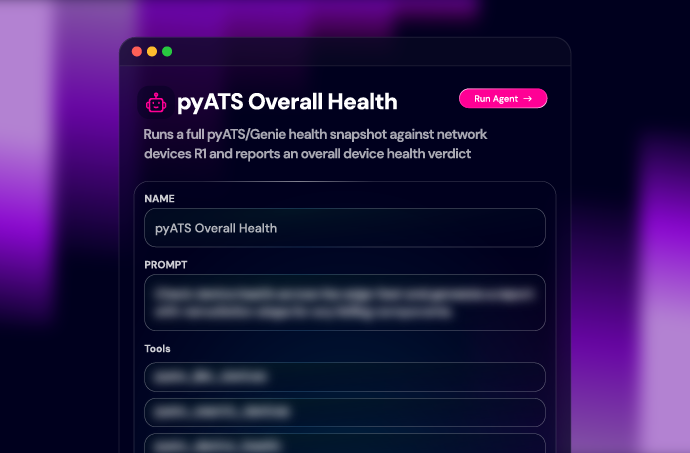
And by the way, there’s the gateway manager. And you can see that there’s John Capo’s cluster. And you can see that it’s all certified with my certs that I sent it. And we can see lots of great stuff. I’m going to head into Agentic Projects, Agent Projects, and start a new Agentic project called, let’s call this Netbox Population. All right, this contains agent that can gather state and populate NetBox using PyEPS MCPs. Create the project, create an agent, and the name is going to be right NetBox Population Agent, an agent used to populate NetBox from real network devices using PyPS MCP.
John Capobianco • 29:45
All right, so the prompt, right, the primary purpose, you are. An agent that uses IPS tools to gather state information about interfaces and IP addresses. In order to then populate the device in Netbox, you will use MCP tools from IEPS and NetBox. To achieve this, you You have no right capability in the network. Only read, but you do have right access to Netbox. I would like summary report each time you run with your results.
John Capobianco • 31:05
Okay, now here is where I can pick my tools and my profile and model. So I’m going to stick with Anthropic Sonnet. And here is where I can give permissions to people to run this. The RBAC, right? The profile and model for the agent to use defines which models are available and an admin configure those in the model registry. All right, so I’m not going to mess with this right now. Let’s give it to the solution engineering team.
John Capobianco • 31:36
All right. And in terms of tools, this is the exciting part. Let’s look for Netbox. Now you can see that there’s different Netbox tools that ship with the platform. But if we go to the source, Or just a 2nd here. Right there, John Capo’s cluster.
John Capobianco • 31:59
Right, so I want bulk create objects, bulk update objects. Well, just bulk create objects. Netbox create available and netbox create objects. So let’s give it the bulk create objects. Let’s read a few more tools. And we’re also going to get available, get objects, some read capabilities in case it needs it, list object types, list objects, and maybe update an existing in case it makes, you know, needs to update something that already exists. So bulk update to create available.
John Capobianco • 32:48
We’ll give it some netbox tools, but not all of them. It doesn’t have delete and just in case it wants to create a singular object. All right, so those are the tools I’ve added so far. Nine tools. Now let’s look for PyATS. And similarly, some other people have their own instances of PyATS, but we want to use my cluster. So I want to give it not configure devices, right?
John Capobianco • 33:15
All we want to do is maybe five interfaces by IP, maybe list devices in case it needs to list the devices. Run show commands for sure. And we don’t need multiple in parallel. We don’t need that, the P call. Show logging, show run. Maybe we’ll give it show run in case it needs it. All right, so what we have now is our 13 tools, which we can filter out or remove here.
John Capobianco • 33:54
All right, we’re just going to close that. And we’ve already done everything else. So now we’re going to save and run the agent. Watch the reasoning in action here. So it’s calling, right, I’m going to discover what devices are available, then gather the interface and IP information to populate Netbox. Let me begin. It called the list objects.
John Capobianco • 34:16
And we got the devices back. And we got the PyATS results here. So excellent. I can see PyATS device and the Netbox devices. I can see that device with an ID. It already has zero interfaces. Let me gather the IP and interface information simultaneously while checking what’s already in Netbox for that device.
John Capobianco • 34:40
It’s already called a bunch of tools successfully. And it’s reasoning now. We’re at 801 output tokens, nine tool calls. Let’s see what’s going on here. Platform created. Now let me update the device with a quick platform and a description noting the connection status. Netbox update object.
John Capobianco • 35:32
Now let me create the standard interfaces. Right, so it’s going ahead and it’s updating the netbox here with the devices, with the interfaces. So it’s picking up these interfaces and it’s populating them. So let me get back to the screen here. I can’t find you. So that is pretty straightforward and pretty easy to do. With PyATS, we needed a special little Docker container and approved that we can do streamable tools or local tools through standard input/output.
John Capobianco • 36:17
We made a flow AI agent that gathered information from the device and started populating it in Netbox after discovering and picking the tools at build time. That’s very important. Now, before we go, there was a couple questions from the audience that I want to address before we go. If you’ll just bear with me, I got to find the questions very quickly. I’ve been focused on the demo, but there were some questions that did come in here. So let me address the questions. And I’m just here.
John Capobianco • 36:51
We are. So, which framework is used to build the agents? Well, under the hood, we are using a variety of tools and frameworks. I would consider Flow AI the framework itself that you saw today. And we abstract away all that complexity of which frameworks are under the hood. How do we keep the cost of using AI low? I would suggest during experimentation and during build, and even for things that are maybe read-only activities, you can use cheaper models.
John Capobianco • 37:26
There’s also various ways in making sure that the data you’re using is formatted correctly. So, cost is important. It really is about model selection and scope of context. That’s why with build time, it’s important to limit the scope of the number of tools you’re building because that will help keep your costs low. How will an agentic AI impact for a project area? Well, you could build this project. Say your project was to build a source of truth for your network or a source of records.
John Capobianco • 38:01
You could build this agent and go ahead and populate it with every interface and every IP address that the agent finds on your network. What’s Canadian bacon called in Canada? Well, up here, we just call it bacon. But yeah, Canadian bacon are the round bacons that you get on a McMuffin. So it’s back bacon. Supposedly, it’s a little bit less fatty for you. It’s better for you than regular bacon, but I don’t eat meat, so I couldn’t tell you.
John Capobianco • 38:29
Insights on building agents in a short period. Well, we just did it today. This webinar is going to be maybe 30, 40 minutes long, and that includes on the onboarding of two MCPs and building a Docker and getting the streaming up. So you can build them very rapidly with the Flow AI and Flow Builder. So, I hope that helps. Thanks for joining us today, and we’ll see you really soon. Remember, most of this you can build on your own through the Itential Dev Stack, and you can start playing with some of these things.
John Capobianco • 39:01
All right, thanks again.


 Build Build agents & workflows visually, with AI, or bring your own.
 Integrate Connect every system, tool, agent, & AI in your stack.
 Execute Execution for agentic & deterministic operations.
 Secure & Govern Govern every action with built-in RBAC, audit & approval gates.
 Operate Self-service operations & real-time visibility.










 Agentic Operations Connect AI to infrastructure for trusted, automated actions.
 AI Vulnerability Response Discover & remediate critical vulnerabilities at machine speed.
 Infrastructure Modernization Transform legacy networks into modern, AI-ready infrastructure.
 Infrastructure as a Product Deliver network and infrastructure services on demand - self service, governed, & consumed like cloud.
 Hybrid & Multi-Cloud Orchestration Unify hybrid & multi-cloud infrastructure through agentic orchestration.
 Unified Change Management Unify network & infrastructure changes across every team, tool, & domain.